
Home › Storeganizer › Designer
Storeganizer Designer — Build Your Own High-Density Pocket Storage
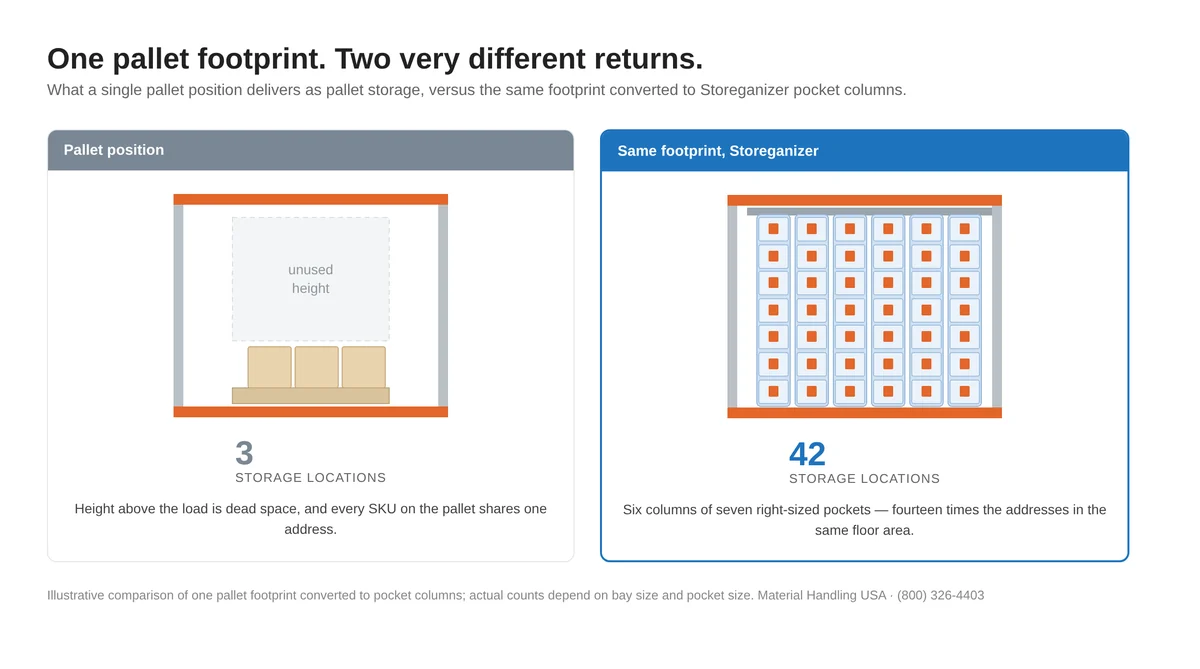
Enter your pallet rack bay dimensions, choose a pocket size, and see how many pick locations you can create in rack you already own. Free, instant, and no pricing forms to fight through.

Free
No login required
Under 2 min
To a full configuration
XS–XL
Five pocket sizes
Up to 396
Pick locations per bay
Configure your bay
The designer below works the way a warehouse manager thinks: start from the bay you already have, then let the pocket size follow the item. Enter your bay’s inside width, depth and height, pick a pocket size, and the tool returns the column count, the pocket count and the total pick locations that configuration creates. Change one input and the whole configuration updates.
Trouble loading the tool? Open the designer in a new tab or call (800) 326-4403 and we will configure it with you.
How the designer works
Four steps, and none of them require a site visit. The output is a preliminary configuration you can take into a planning meeting, not a sales gate.
Measure the bay
Inside width, inside depth and the clear height between beam levels. A tape measure and two minutes is enough.
Choose a pocket size
Five standard sizes from XS to XL. Not sure? Enter the largest item you want in one pocket and the designer recommends the smallest pocket that takes it with handling clearance.
Read the configuration
Columns per bay, pockets per column, rows deep and total pick locations created — recalculated as you change inputs.
Send it to us
Submit the configuration and a storage specialist reviews it against your rack, your SKUs and your aisle layout.
What the designer tells you
- Total pick locations created in the bay you configured — the number that matters when you are deciding whether to convert a zone or lease more space.
- Columns and pockets per bay, so you can sanity-check the layout against your beam levels.
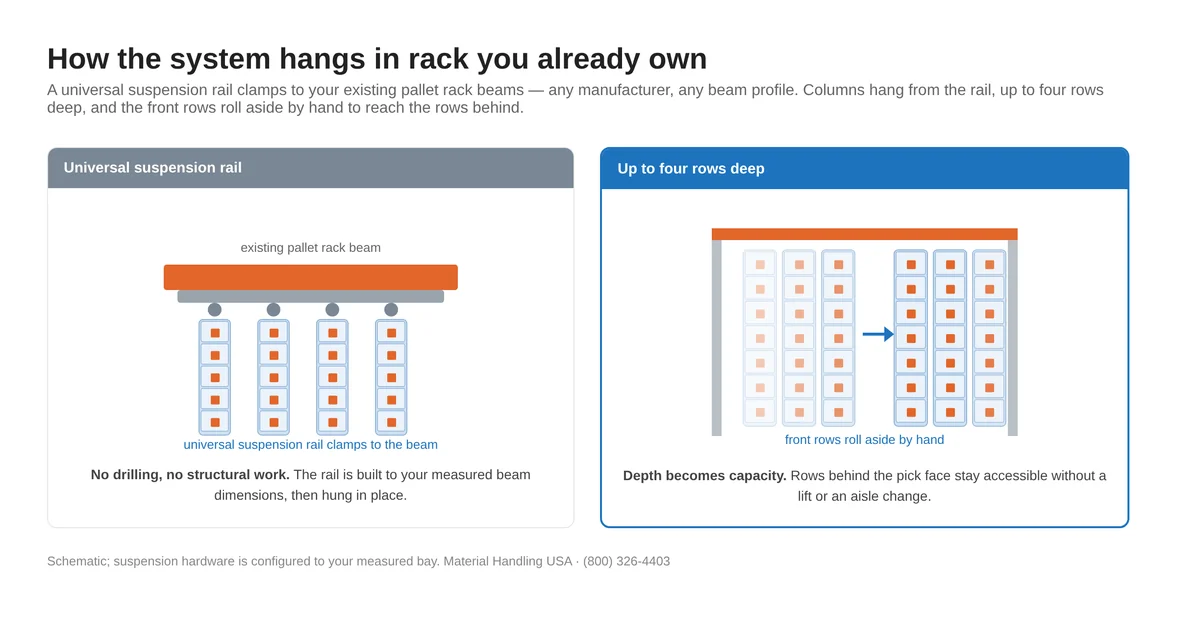
- Rows deep, up to four, with the front rows rolling aside by hand to reach the rows behind.
- The pocket size that fits your items, with dimensions in inches and millimetres.
- How many more locations you gain. Enter the pick locations one of those bays holds today and the designer shows the additional locations the conversion creates, and the multiplier per bay.
- A configuration you can share internally before you talk to anyone in sales.
What it does not do
The designer sizes and counts — it does not quote. Pricing depends on textile grade, options and how your rack is built, so a specialist confirms it against your actual bay. Your configuration comes to us with every input attached, which is why those conversations are short.
How to measure your bay
Three measurements decide the configuration. Take them from inside the bay, not from the outside of the uprights, and take them at the level you actually intend to convert — beam heights are rarely uniform from the floor up.
| Measurement | Where to take it | Why the designer needs it |
|---|---|---|
| Bay inside width | Between the inside faces of the two uprights, at the beam level you are converting | Sets how many pocket columns fit side by side across the bay |
| Bay inside depth | Front beam face to rear beam face | Sets how many rows deep the columns can hang — up to four |
| Clear height | Top of the lower beam to the underside of the beam above | Sets pockets per column; taller openings carry more pockets |
| Beam height and depth | The beam profile itself | Determines the suspension rail built for your rack |
Working from a drawing rather than a tape measure? Send it over and we will pull the dimensions off it. Our team also handles pallet rack design and full warehouse layout, so the numbers can come from the same place your rack plan does.
The five pocket sizes you can choose
Pocket size is chosen from the item, not the rack. Each pocket carries up to 44 lb (20 kg) and each column up to 220 lb (100 kg), so most small-parts inventory sits comfortably inside the standard range. Custom pocket dimensions are available when a part will not cooperate.
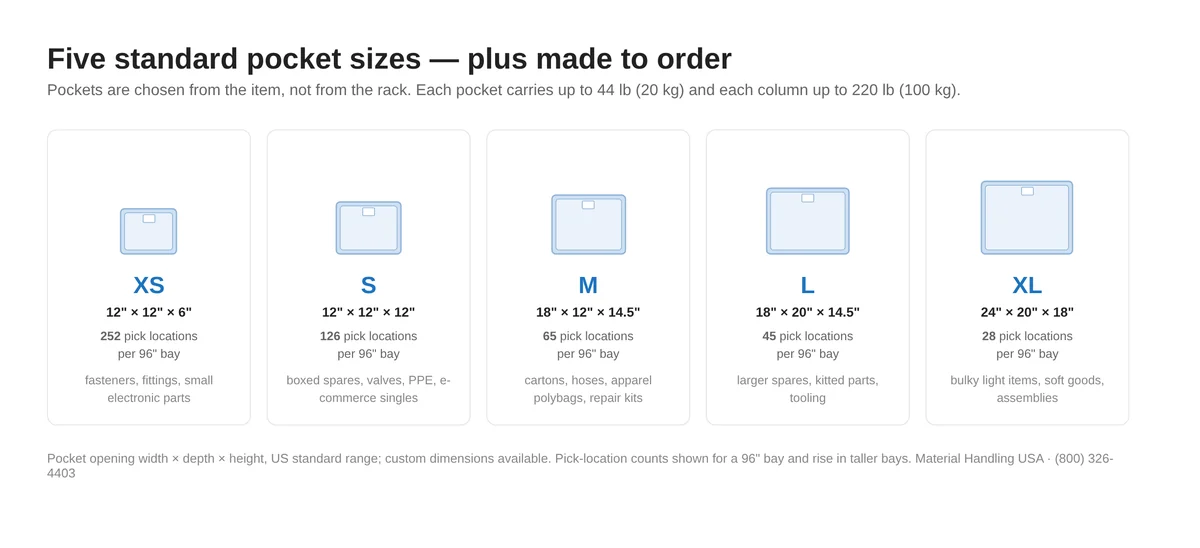
Full dimensions, textile grades, dividers, front covers and label options are on the Storeganizer specifications page. If you want the reasoning behind which SKUs belong in pockets at all, read small-parts warehouse storage.
What people configure it for
 3PL and e-commerce fulfillmentConsolidating a long tail of small SKUs into a short pick face, without taking floor space away from pallet storage.
 Spare parts and MROParts rooms and maintenance stores where thousands of low-volume SKUs each need their own address.
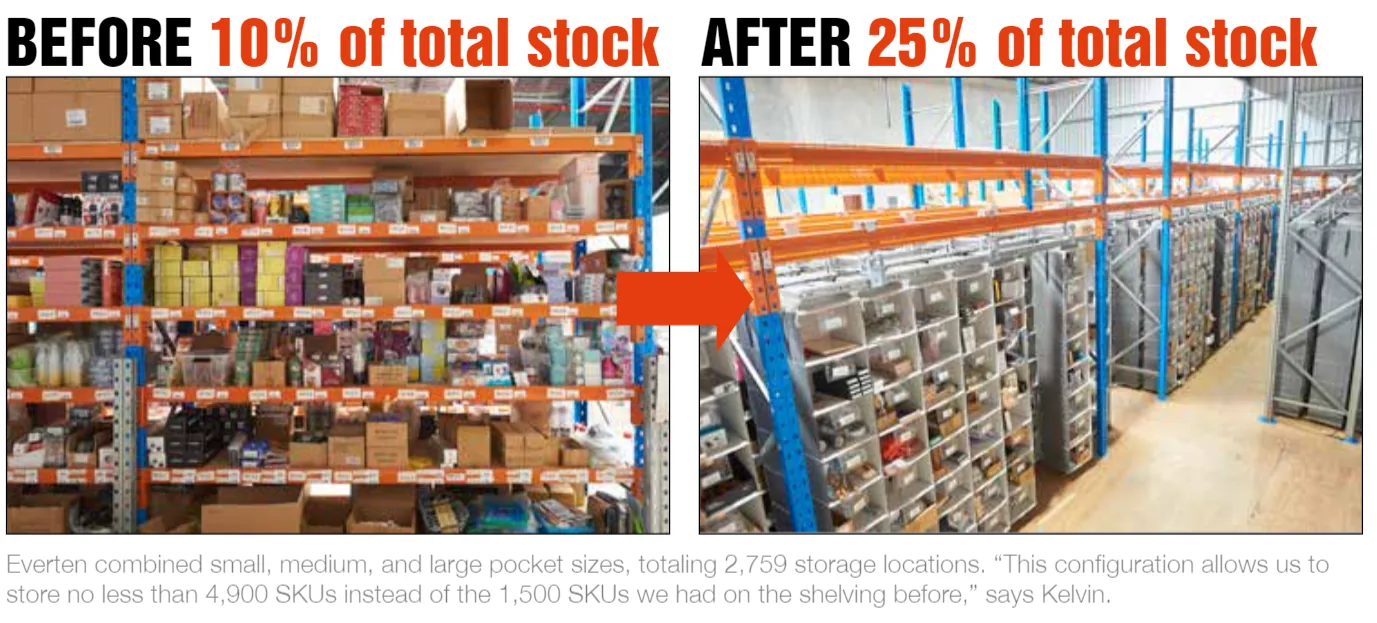 Rack space recoveryConverting underused bays into dense pick locations instead of leasing additional square footage.
Why configure before you commit
Most small-parts storage decisions get made from a catalogue: someone counts SKUs, orders shelving, and discovers afterwards that half the shelf depth is holding air. Configuring first inverts that. You find out what an existing bay can actually hold before anyone signs anything, which turns a purchasing question into a layout question.
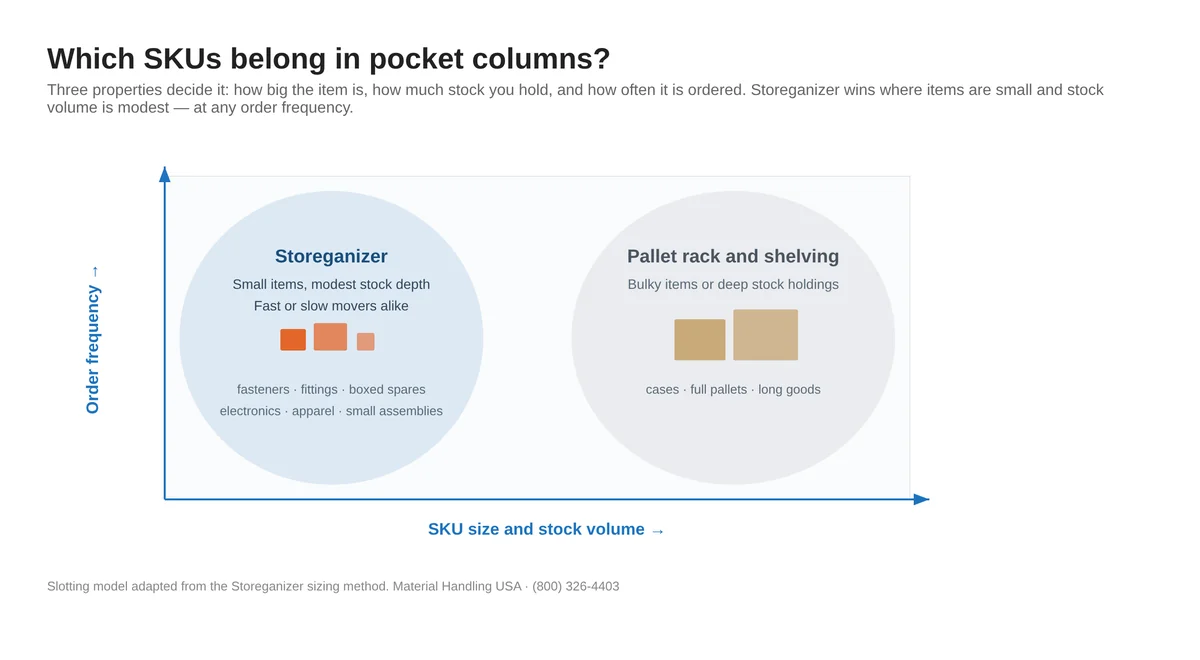
Which SKUs to put in the configurator
- Small items with modest stock depth. Fasteners, fittings, seals, connectors, boxed spares and small assemblies. These are the SKUs paying rent on shelf space they never use.
- Any order frequency. Pocket columns suit fast movers and slow movers alike — frequency changes where you place the bay, not whether pockets make sense.
- Not bulky items or deep holdings. Cases, full pallets and long goods stay in pallet rack, cantilever rack or boltless shelving.
If your inventory sits on the boundary, configure both a bay of pockets and compare it against what you have today. The comparison against shelving, bins, flow rack, carousels and VLMs covers where each one genuinely wins, including the cases where Storeganizer is the wrong answer.
What changes once a zone is converted
The configuration output is a count of pick locations. What that count buys you shows up in three places, measured by independent research at the University of Leuven, Belgium (2013):
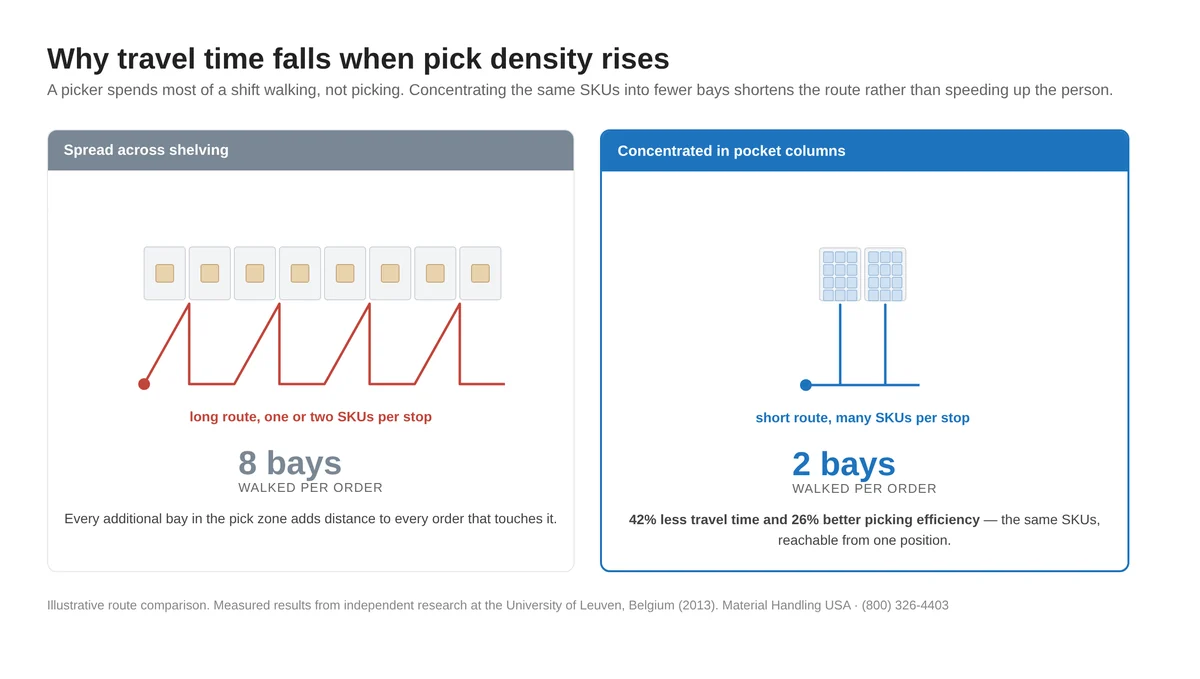
Operations have reported more than the averages — a luxury-goods distribution centre went from 25–30 pick lines per hour on static shelving to 60–80 with pocket columns. The case studies page lists the measured results with attribution, and the rack space optimization page works through the density arithmetic.
Storeganizer Designer FAQs
Is the Storeganizer Designer free to use?
Does the designer give me a price?
Will Storeganizer fit the pallet rack I already have?
How many pick locations can one bay hold?
How much weight can a pocket hold?
What happens after I submit a configuration?
Can I use the designer on a phone?
Keep reading
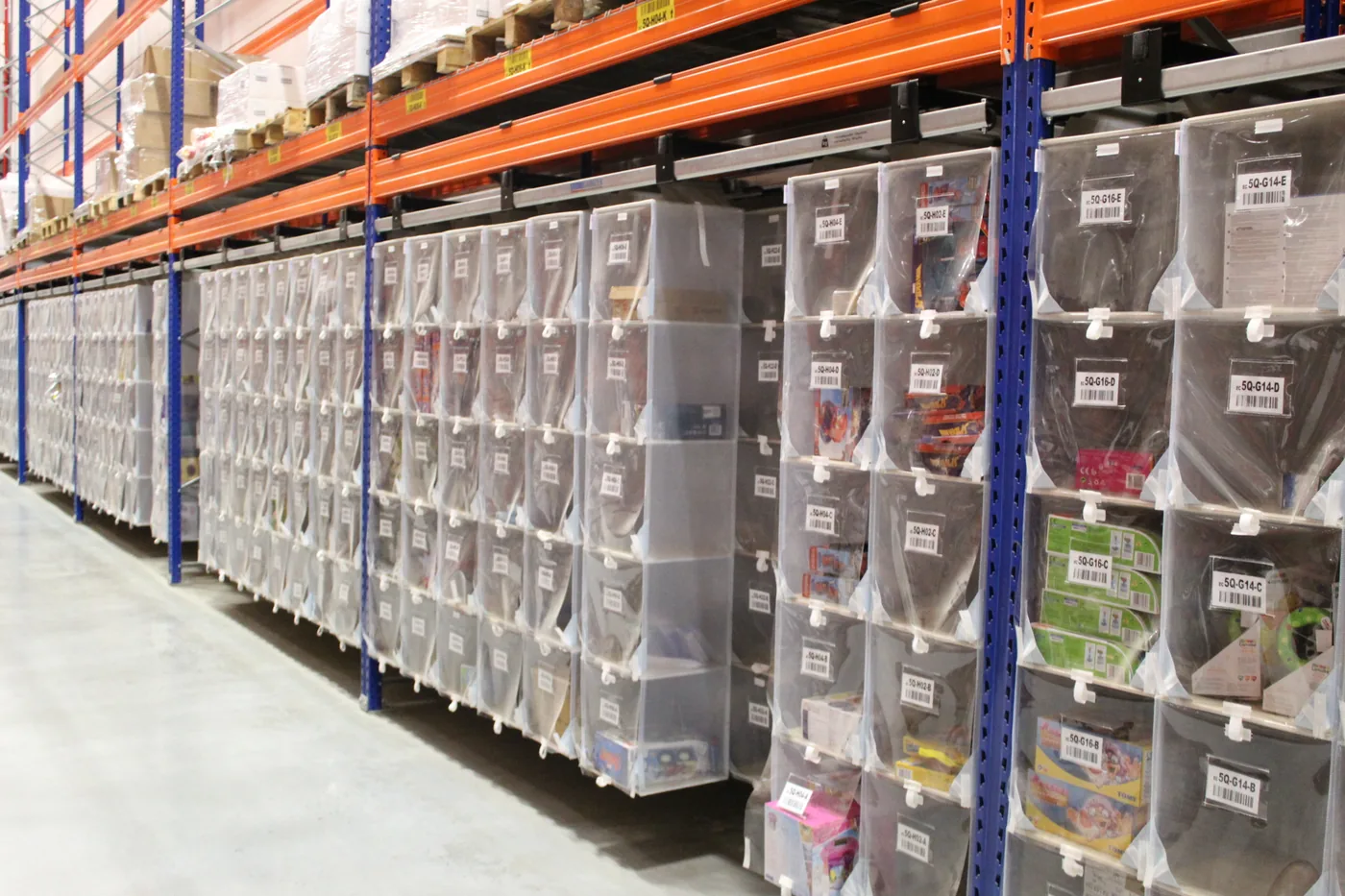 Storeganizer overviewWhat the system is, how it works and where it pays for itself.
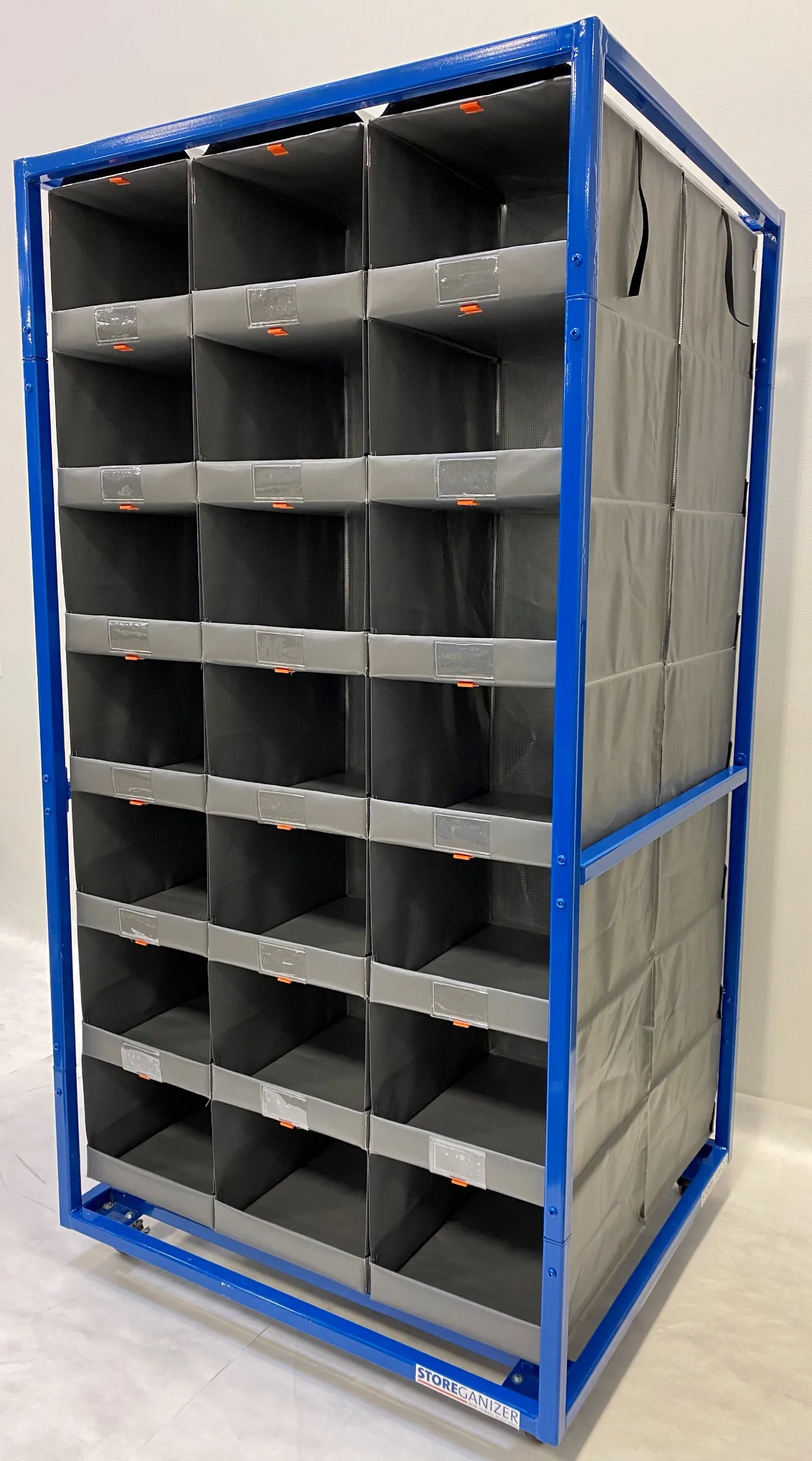 Storeganizer Pick 360The mobile Picking Hive pick face built for AMR and goods-to-person workflows.
 Order-picking efficiencyWhy concentrating SKUs cuts travel time, with measured results.
 Case studies and resultsMeasured outcomes from operations that converted rack to pocket columns.
Ready to see what your rack could hold?
Configure a bay above, or talk it through with a storage specialist who has done this in operating warehouses.