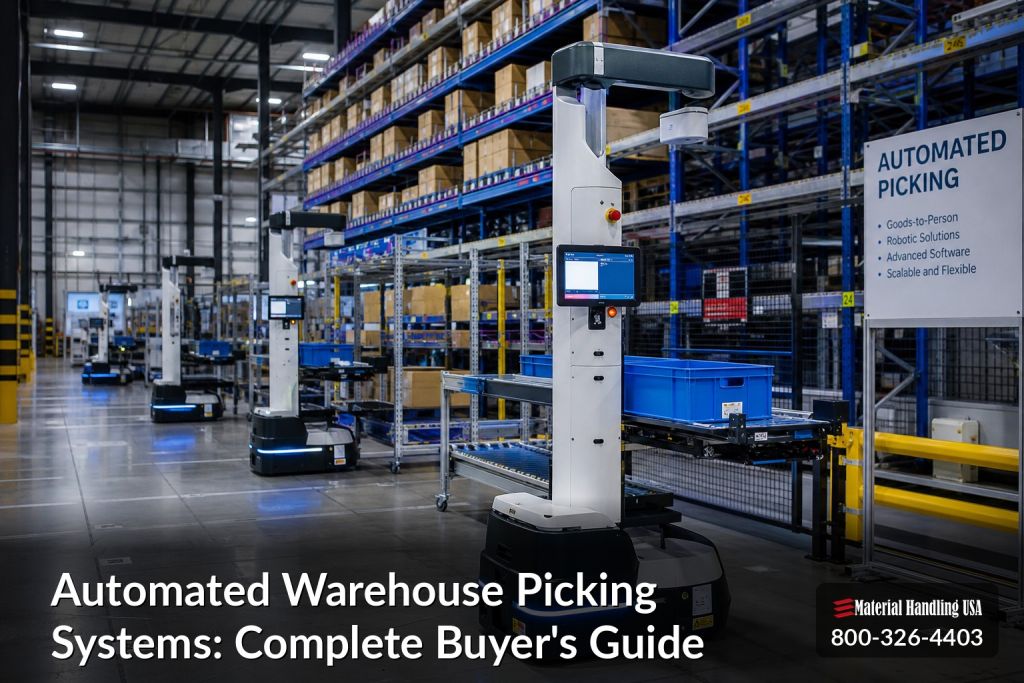
Automated warehouse picking systems have moved from niche experiments to a core warehouse investment. One market estimate values the warehouse order picking market at USD 12.41 billion in 2025 and projects it to reach USD 17.79 billion by 2030 at a 7.49% CAGR source data from Mordor Intelligence. That kind of growth is a signal, but the bigger story is operational, because warehouses are under pressure to pick faster, make fewer mistakes, and use every square foot better.
For facility managers and buyers, the question is no longer whether automation exists. It's which system fits the building, the inventory, and the growth plan. A warehouse that sells slow-moving, high-value parts has very different needs from a high-SKU e-commerce stockroom or a lab store with tight traceability rules.
Why Automated Warehouse Picking Systems Matter Now
The case for automated warehouse picking systems starts with labor and accuracy, but it doesn't end there. Order picking can account for up to 55% of operating costs, and more than 50% of picking time can be spent just traveling rather than grabbing product, according to warehouse automation statistics Synkrato. That means the problem is often layout and motion, not just headcount.
Manual picking also has a built-in error problem. Industry statistics report manual error rates commonly run at 1% to 3%, while automated systems can reduce errors to below 0.1%, with some WMS-directed workflows reaching 99.9%+ accuracy Glide Apps Agency. In practice, that matters most where mistakes create rework, returns, or compliance headaches.
A lot of buyers still treat automation as a future project. That can be costly, because the market is already broadening beyond pilot installs. The broader warehouse automation market is estimated at USD 29.98 billion in 2026 and projected to reach USD 59.52 billion by 2030 at an 18.7% CAGR Seller's Commerce. That growth says something simple, the companies that study automation early get more time to plan the right footprint and controls.
Practical rule: if picking errors, travel time, or space shortages show up every day, automation is already part of the answer, even if the full system hasn't been specified yet.
For teams comparing digital and physical upgrades, a useful parallel is the digital upgrade guide for small businesses. The same planning discipline applies here, define the problem clearly, match the tool to the environment, and avoid buying tech that outpaces the building.
How Automated Picking Systems Work
At the simplest level, these systems change one thing, they bring product to the worker instead of sending the worker to the product. That shift cuts travel, which is the hidden drag in most manual operations. A goods-to-person station can also keep work organized so operators spend more time selecting and packing, and less time walking.
The basic workflow
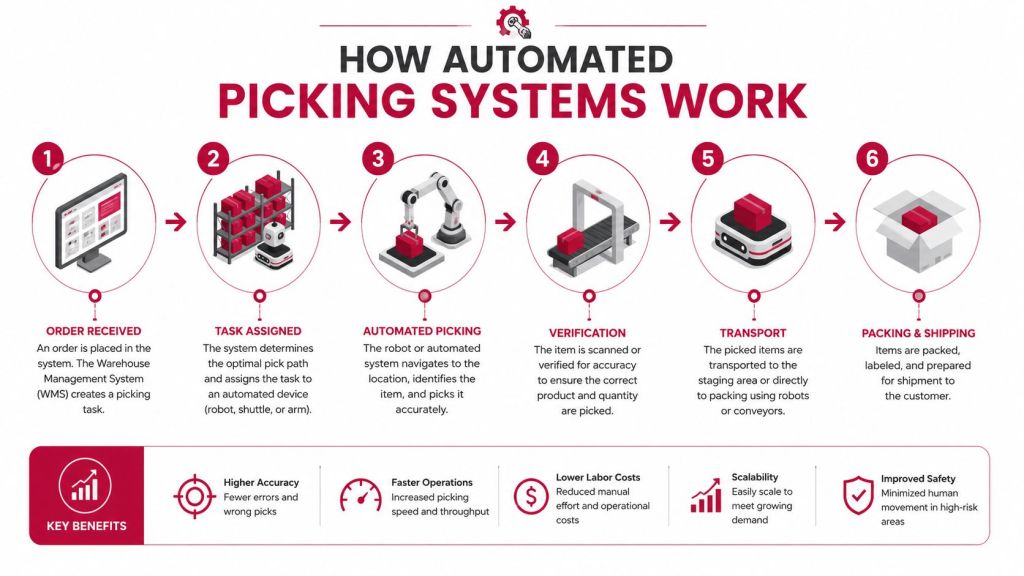
The process usually starts when the WMS releases an order and assigns the best pick path. From there, conveyors, shuttles, AMRs, or storage equipment move inventory toward a station, where the picker confirms the item and quantity. The final handoff is to pack-out or to the next sortation step.
That workflow sounds simple, but the controls matter. Pick-to-light, barcode scanning, vision checks, and directed put-away all reduce mis-picks because the operator isn't relying on memory or a handwritten list. In a well-run system, the software is doing the routing and the station is doing the verification.
Why travel reduction changes everything
Travel is expensive because it consumes labor without creating value. That's why goods-to-person systems matter so much in high-volume sites, and why some automated pick stations are documented at up to 660 bin presentations per hour with over 99% uptime Ocado Intelligent Automation. Throughput is only useful when the station is fed continuously, so good design keeps the flow balanced instead of flooding one point and starving another.
A helpful way to think about it is like a kitchen pass. A manual warehouse makes the chef walk to the pantry every few minutes. An automated system puts the ingredients at the pass, labeled, scanned, and ready. That is why the technology choice changes labor patterns, not just equipment lists.
The best systems are the ones that make the right action easier than the wrong one.
For facilities already using belts or transfer lines, a conveyor systems overview is a useful companion resource because picking performance is often tied to how well the movement layer supports the station layer.
Types of Automated Picking Technologies
The best picking technology is the one that fits the building you have, not the layout you wish you had. Some sites need dense storage and fixed pick points. Others need flexibility because the lease is short, the ceiling is low, or the operation is still changing. The practical questions are simple, how much travel should disappear, how high does product need to move, and how much inventory variation does the system need to handle.
Technology comparison
| Technology Type | Typical Throughput | Ceiling Height Needed | Best For |
|---|---|---|---|
| Goods-to-person stations | 300 to 600 units per labor hour Glide Apps Agency | Moderate to tall | High-SKU picking with repeat demand |
| AMRs | Varies by route design | Low to standard | Flexible layouts and retrofit sites |
| Pick-to-light systems | Dependent on operator pace | Low to standard | Assisted picking with many small picks |
| AS/RS | System dependent | Usually tall | Dense storage and controlled retrieval |
| Conveyor-based sortation | System dependent | Low to standard | High-volume handoff and flow control |
Goods-to-person stations make sense where picker travel is the main waste and demand is steady enough to keep the stations fed. AMRs fit better when the layout has to stay flexible and the building cannot support tall structures or fixed storage towers. Pick-to-light is often the easiest assisted-picking entry point because it guides the operator without forcing a full redesign of the operation.
AS/RS deserves attention in dense operations because storage design and picking design rise or fall together. A look at an AS/RS systems page helps set expectations for how storage density, retrieval logic, and pick performance affect one another. If the storage layer is weak, the picking layer ends up carrying that burden.
Robotics also adds maintenance discipline to the buying decision. A practical reference is condition monitoring for robots, because uptime depends on more than purchase price. Bearings, motion systems, charging behavior, and software health all affect whether the system keeps pace with demand.
Matching Automation to Your Facility Constraints
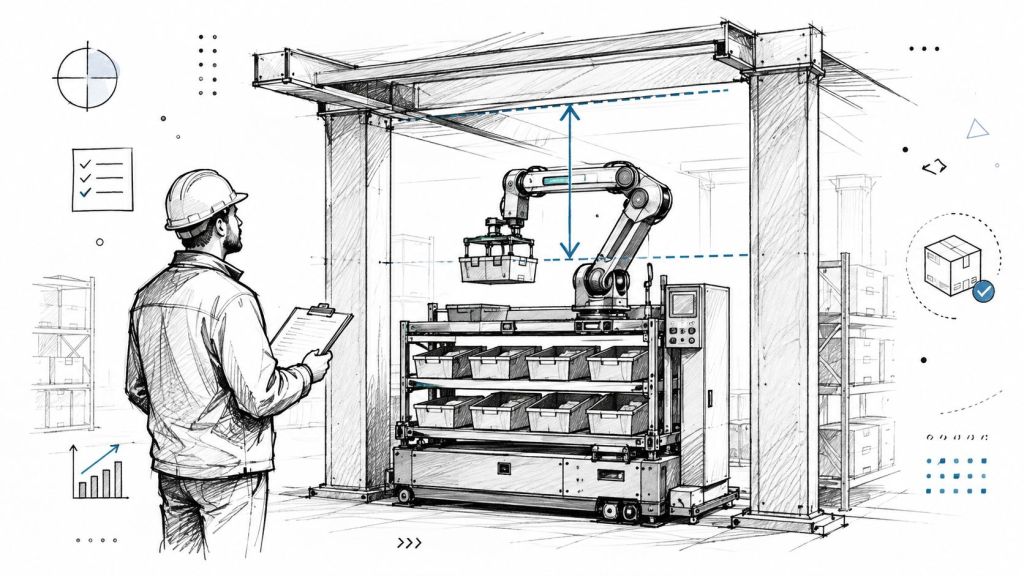
The biggest mistake in automation planning is choosing a system first and checking the building second. Ceiling height, column spacing, floor flatness, aisle width, fire code, and existing conveyors all shape what will work. A system that looks perfect on paper can fail in a retrofit because the building doesn't support the motion path or the storage density.
Vertical, horizontal, and retrofit fit
Vertical systems make sense when clear height is available and the goal is to maximize cube. They're powerful, but they're less forgiving when the building is short or the roof structure is already crowded. Horizontal systems, including AMRs and conveyor-fed workcells, are usually easier to place in existing buildings, though they may need more floor space and smarter traffic control.
A study from the University of Padua on robotized and automated warehouse workstations shows that workstation design, including factors like bin inclination, affects picking performance, not just the robot itself University of Padua study. That's a useful reminder that automation is a building-and-workstation problem, not only a machine problem.
Questions that expose fit fast
- How much clear height is usable? Tall ceilings help vertical systems, but beams, sprinklers, and code clearances can reduce the usable envelope.
- Where does the inventory change most often? Fast-changing SKUs usually need more flexible flow.
- Can the slab handle the equipment? Heavy storage and moving systems need stable floors.
- What can stay in place? Existing conveyors, mezzanines, and packing benches can cut project cost when they're compatible.
Bottom line: the right system is the one that fits the building you have, not the building you wish you had.
A smart starting point is a layout review that maps constraint zones before any equipment is ordered. That's especially important in facilities with tight retrofits, because the wrong assumption about aisle width or ceiling height can ripple through the whole project. For planning support around space use and future expansion, smart warehouse automation design is a practical reference.
Calculating ROI and Payback Periods
ROI for picking automation usually comes from three places, labor, accuracy, and space. Labor savings are the easiest to model because they start with time spent walking, searching, and correcting errors. Space gains matter too, because better cube use can delay a move or expansion.
A single robotic picking station running 20 hours per day at 600 to 900 picks per hour can replace roughly 3 to 4 human picking shifts, according to one industry analysis Robotomated. The same source estimates $180,000 to $240,000 per year in labor savings alone, using fully loaded labor costs of $22 to $28 per hour, with installed systems often costing $200,000 to $400,000 and paying back in 12 to 24 months.
What to include in a real business case
- Equipment cost. Include stations, storage, conveyors, robots, controls, and software.
- Installation cost. Add rigging, electrical, floor prep, and integration.
- Maintenance cost. Plan for parts, service, and software support.
- Training cost. Operators and supervisors both need time to adapt.
- Opportunity cost. If the project delays a move or expansion, that has value too.
Accuracy savings are less visible, but they matter. If automation pushes errors from the manual range down toward automated levels, the team spends less time re-picking, less time chasing exceptions, and less time explaining misses to customers. That shows up in service consistency, not just a spreadsheet.
A project only looks expensive if the analysis stops at equipment price. Total cost of ownership is the better lens, because it captures the work automation removes and the costs it avoids. In many facilities, that's the difference between a good idea and a finance-ready project.
Buyers who model labor, accuracy, and space together usually get a much clearer answer than teams that price the machine first.
Selection Checklist and Implementation Roadmap
A bad fit usually shows up in the building, not the brochure. A good buying process starts with a site assessment, because the right automated warehouse picking systems have to match SKU mix, order profile, ceiling height, aisle width, dock flow, and the limits of the existing structure. Vendors should be able to explain those trade-offs plainly, including where the system will work well and where it will create pressure on labor, power, or floor space.

Vendor questions that matter
- Will it integrate with the current WMS? If the answer is unclear, expect rework later.
- How does the system handle exceptions? Broken cases, partial picks, and odd SKUs still happen in real operations.
- What does the layout require? Ask about clearances, power, network, maintenance access, and where technicians can reach the equipment.
- How is future growth handled? The system should fit the next stage of volume without forcing a rebuild.
The best roadmap usually follows five steps. First, audit the facility and map the hard constraints. Second, compare vendors using the same order profile and layout data, so the quotes reflect the same operating conditions. Third, test the system or pilot the workflow if the vendor can support it. Fourth, install and integrate the equipment. Fifth, train the team and tune the process after go-live, because the first weeks often reveal small issues that never show up in a demo.
Baseline metrics belong in place before anything is installed. Track pick time, inventory accuracy, labor efficiency, and space utilization so the before-and-after picture is real, not guessed. Without that baseline, it is hard to prove what improved, what stayed flat, and whether the system is helping the operation.
If you want a cleaner planning process, a free layout consultation can save time before equipment is committed. A review like that helps most when the site has growth plans, because the first layout should leave room for what comes next.
Moving Forward with Confidence
Automated picking works best when the technology matches the building and the inventory. The strongest projects are planned around constraints, measured with baseline data, and sized for growth instead of just today's volume. Buyers who take that approach usually avoid the expensive mistake of choosing a system that looks advanced but doesn't fit the facility.
Material Handling USA helps teams plan that fit with competitive pricing, fast shipping and delivery, quality materials and products, and free layouts and designs with no obligation. If you're comparing automated warehouse picking systems and want a practical layout review, Request a Quote or Contact Us for a free quote and a consultation that starts with your actual building, not a guess.
Material Handling USA can help you evaluate automated warehouse picking systems with practical layouts, clear product guidance, and a focus on the space you already have. Visit Material Handling USA to start a conversation, review options, and get a solution that fits your operation.