
Home / SupplyPoint / Industrial Vending Machines & Smart Lockers
Industrial Vending Machines & Smart Lockers for Total Asset Control
The hardware and software engineered to eliminate waste and boost productivity. SupplyPoint tool vending machines, smart lockers, and cutting tool dispensing systems give you 100% control over your critical assets.

100%
Transaction-level accountability
702
Compartments in a single Rotopoint
7,020
Locations across linked units
24/7
Point-of-use availability
Automated Inventory Control, Not Just Storage
Managing critical assets effectively is the difference between a profitable operation and one that constantly leaks money. The endless search for tools, the frustration of project delays from stock-outs, and the mystery of disappearing inventory all point to the same broken process: uncontrolled access with no record of who took what.
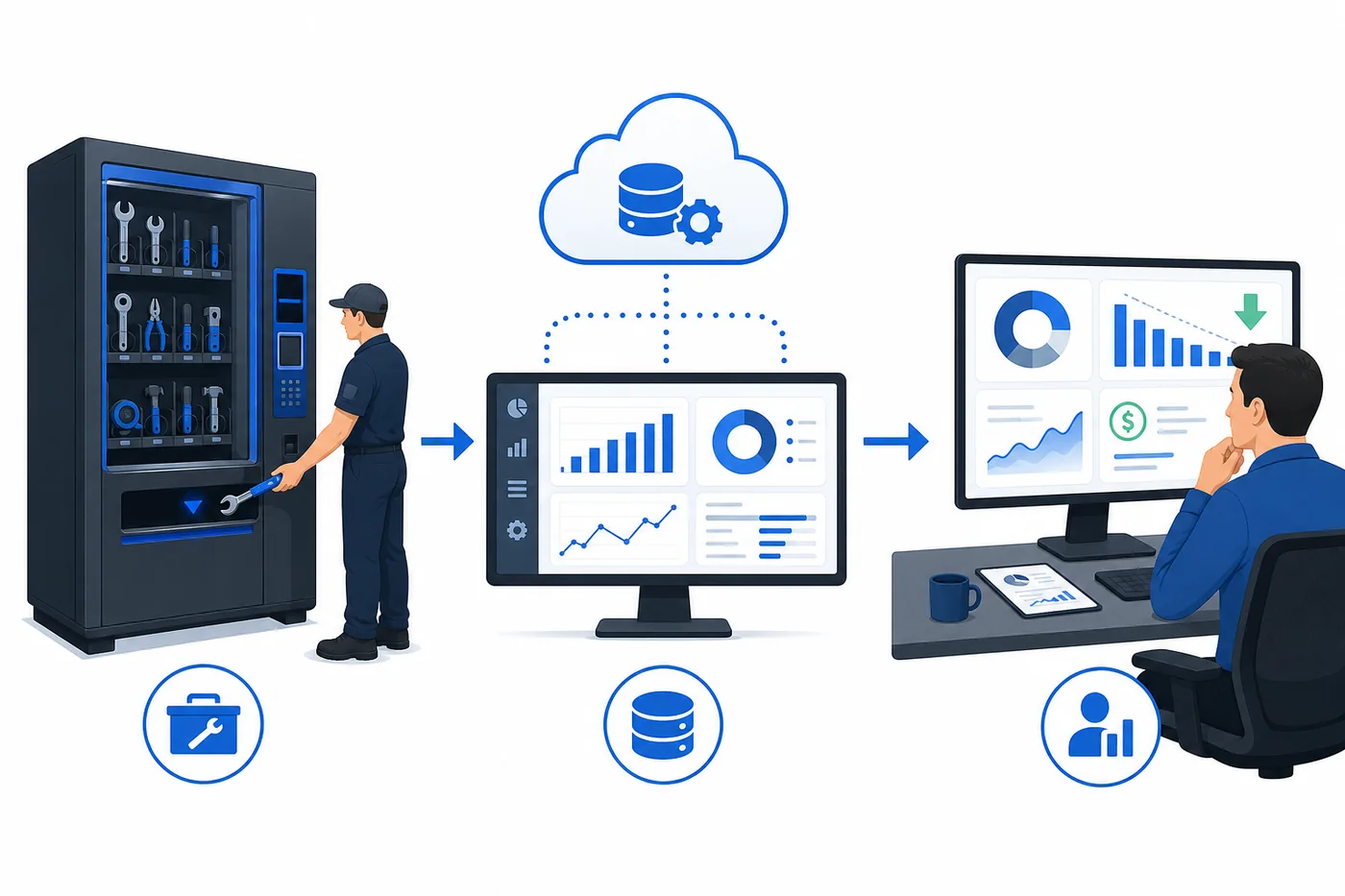
SupplyPoint solves it with a fully integrated ecosystem where intelligent hardware and powerful software work together. Every dispense is tied to a user, every stock level is visible in real time, and every reorder is triggered by data instead of a guess.
Material Handling USA specifies, installs, and supports SupplyPoint systems — from a single electronically controlled tool cabinet in one work cell to a linked, multi-machine deployment across an entire plant.

The SupplyPoint Ecosystem

Cut Direct Costs and Enhance Accountability
The problem: uncontrolled access leads to shrinkage, unauthorized use, and zero accountability for high-value assets.
- ModuLo drawer system — single-compartment access secures your most valuable inserts, gauges, and drill bits. Users can only take what they are authorized for.
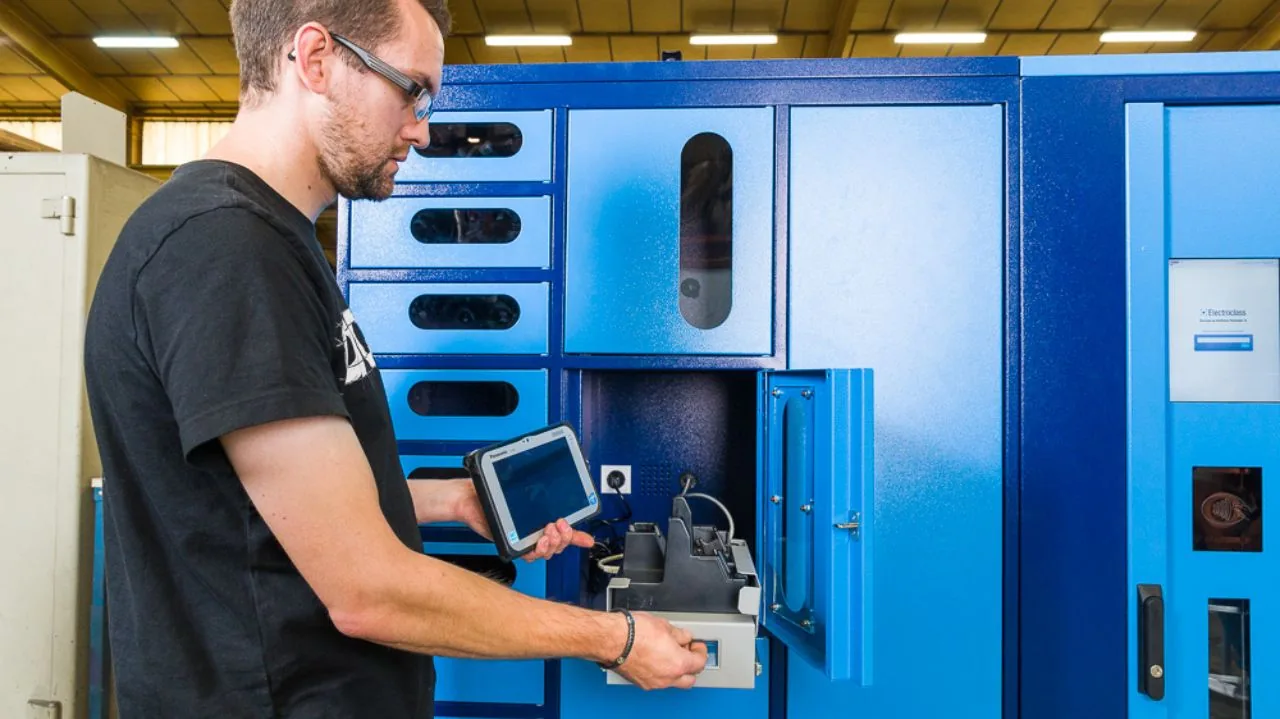
- LockerSense & KeyManager — secure individual lockers for larger power tools, laptops, and keys. The door does not open without proper authorization.
- WebSync software — every transaction is logged against a specific user ID, creating an audit trail. You know who took what, from which machine, and when.
The result: eliminate shrinkage and gain full accountability, turning a major expense into a controlled asset.

Reclaim Wasted Labor

The problem: skilled employees waste time walking to a central crib, waiting in line, and filling out log sheets by hand.
- Point-of-use hardware placed directly on the factory floor, or wherever the work happens, cutting travel time.
- VendTel interface — a simple touchscreen that lets employees find and dispense items in seconds.
- Automated logging captures every transaction, eliminating manual paperwork and data entry.
The result: hours of productive time given back to your most skilled employees and their managers.
Improve Uptime and Availability
The problem: production stops because a critical tool is missing, a battery is dead, or a specific PPE item is out of stock.
- VendaVolt charging lockers keep radios, batteries, and scanners charged and ready for the next shift.
- Real-time stock alerts in WebSync — set minimum levels for every item and the system tells you when to reorder before you run out.
- PPE vending configurations so gloves, glasses, and consumables are available at the point of use instead of behind a crib window.
The result: maximum operational uptime, because the right tools are always available, charged, and in the right place.
Optimize Stock Levels With Data
The problem: you are either tying up capital in overstocked inventory that gathers dust, or paying premium prices for rush orders because of unexpected shortages.
- SupplyPoint iQ analytics analyzes usage data to reveal trends, identify your most-used items, and highlight slow-moving stock.
- Data-driven forecasting uses accurate historical data instead of guesswork to plan purchasing and optimize carrying costs.
- iSync ERP integration connects to major ERP systems such as SAP for automated purchasing and inventory data flow.
The result: inventory becomes a lean, data-driven asset that matches how your operation actually consumes material.
Free ROI report
Our team will build you a no-obligation ROI report that quantifies the financial impact of automated dispensing on your operation — shrinkage, labor hours, carrying cost, and downtime. Call (800) 326-4403.
SupplyPoint Machines and Cabinets
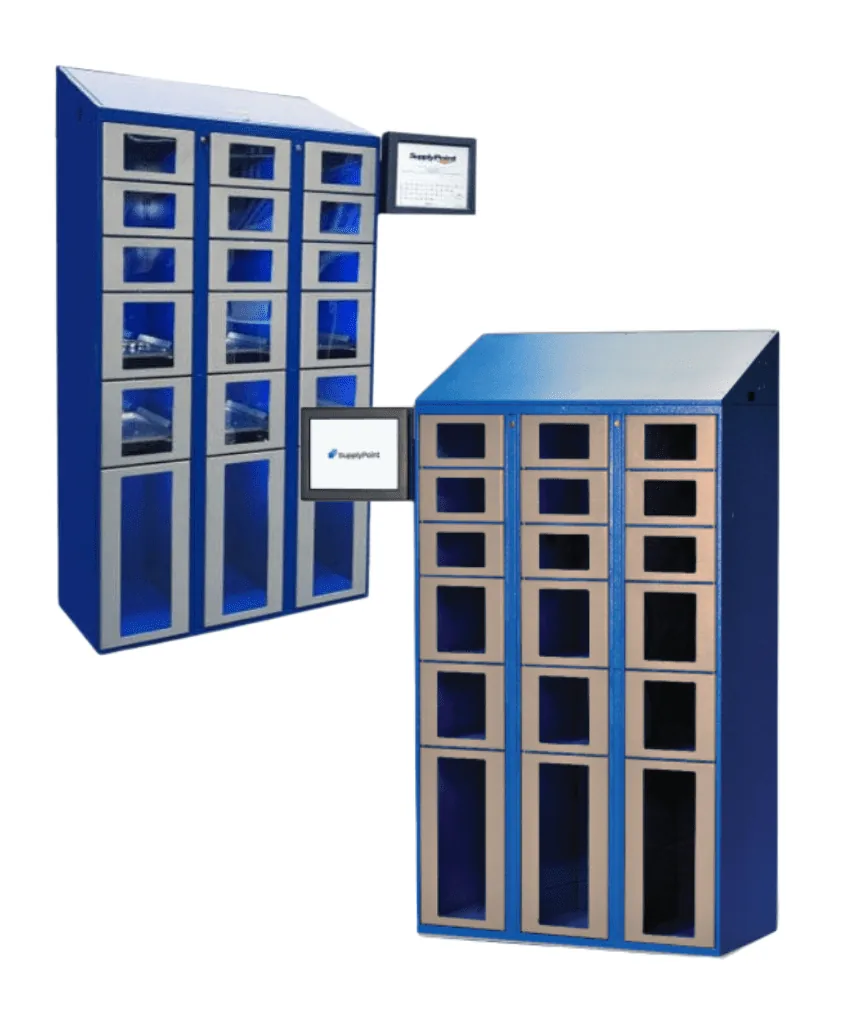
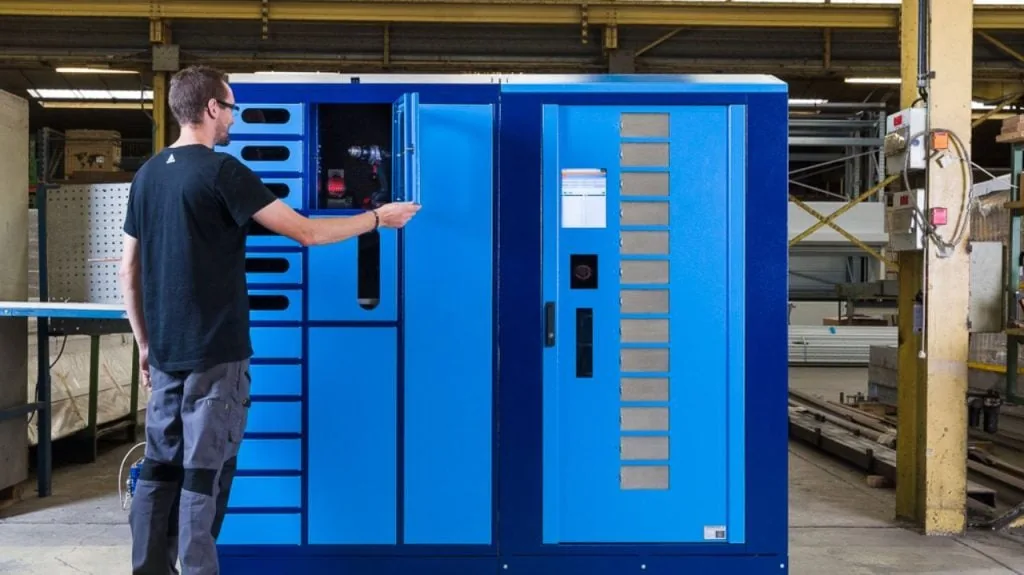
Every deployment is a mix. Drawer machines secure high-value cutting tools, carousels handle high-movement PPE and MRO, lockers manage large or charged assets, and cabinets bring control to a work cell. All of them run the same interface and report into the same database.
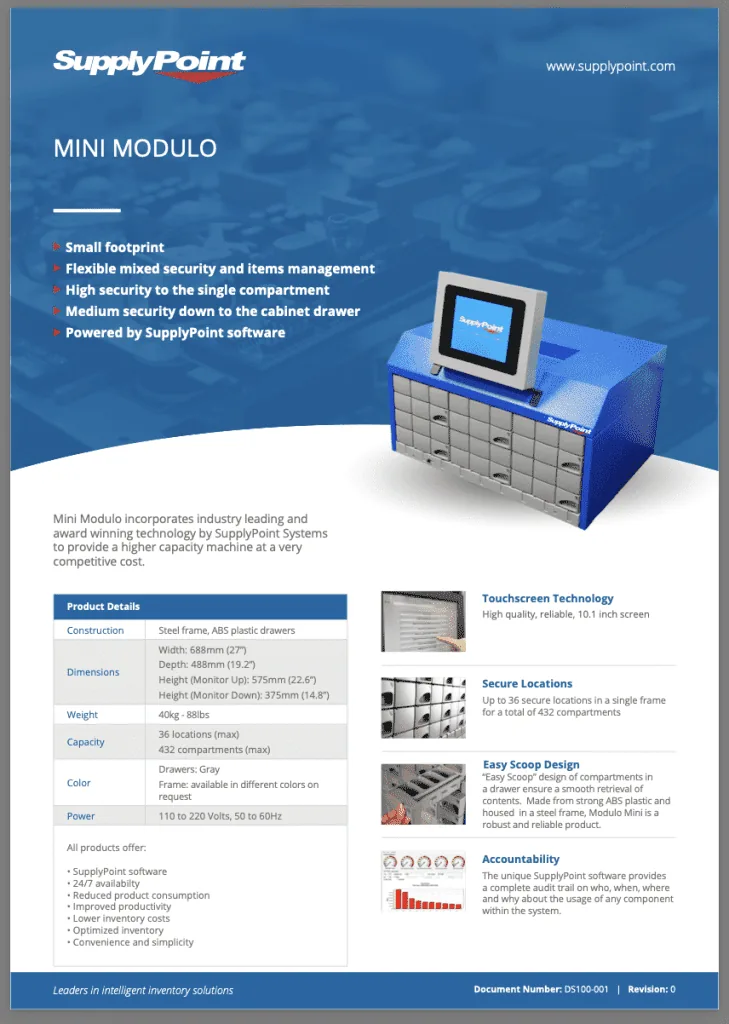 Mini ModuloHigh-density, drawer-based control at a competitive price point. Five drawer sizes, multi-drawer transactions for kitting, and up to 10 frames linked from a single point.
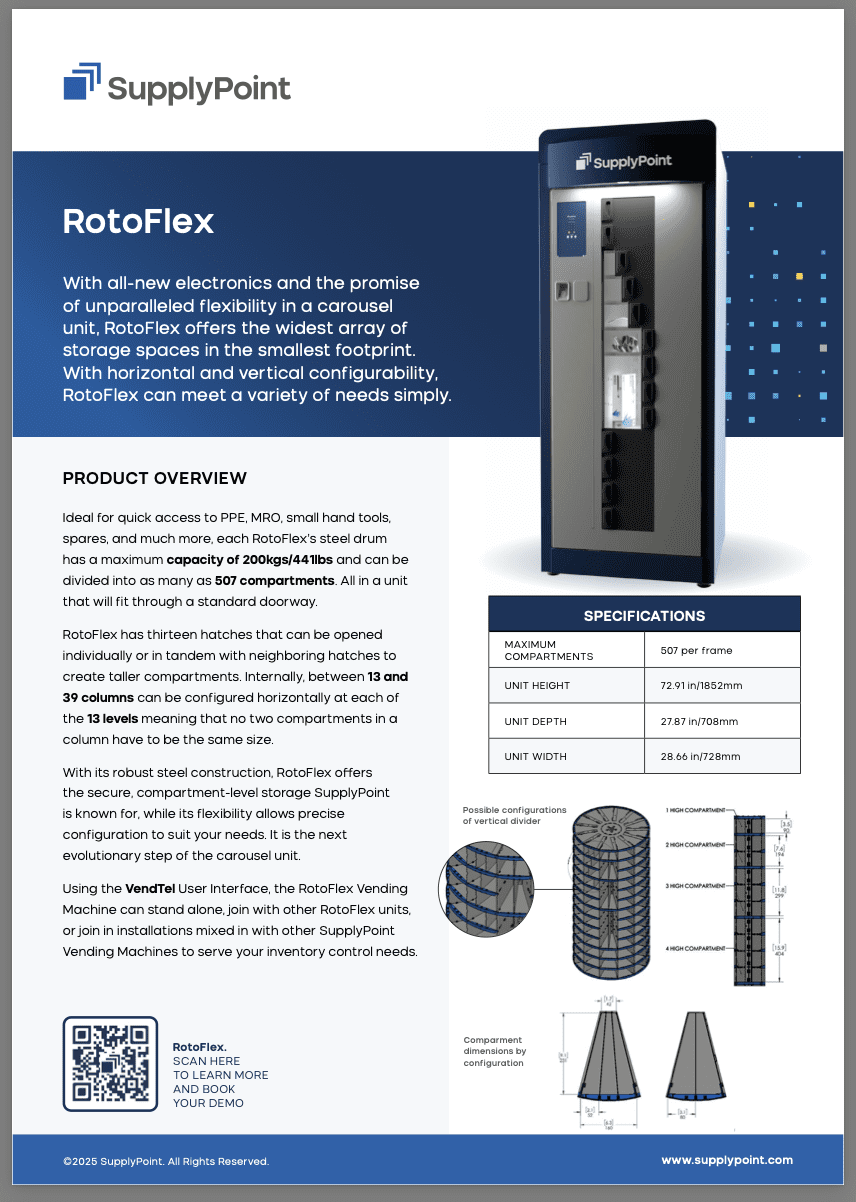 RotoFlexTool-less reconfiguration of shelves and dividers, up to 507 secure compartments, and a footprint that fits through a standard doorway. Ideal for PPE, MRO, and fast-moving tools.
 RotopointUp to 702 compartments and a steel drum rated to 661 lbs (300 kg). Configurable column widths and hatch sizes; link up to 10 units for 7,020 secure locations.
 LockerSenseWeight-sensing lockers that track consumption by the gram — ideal for consumables and kits where counting individual items is impractical.
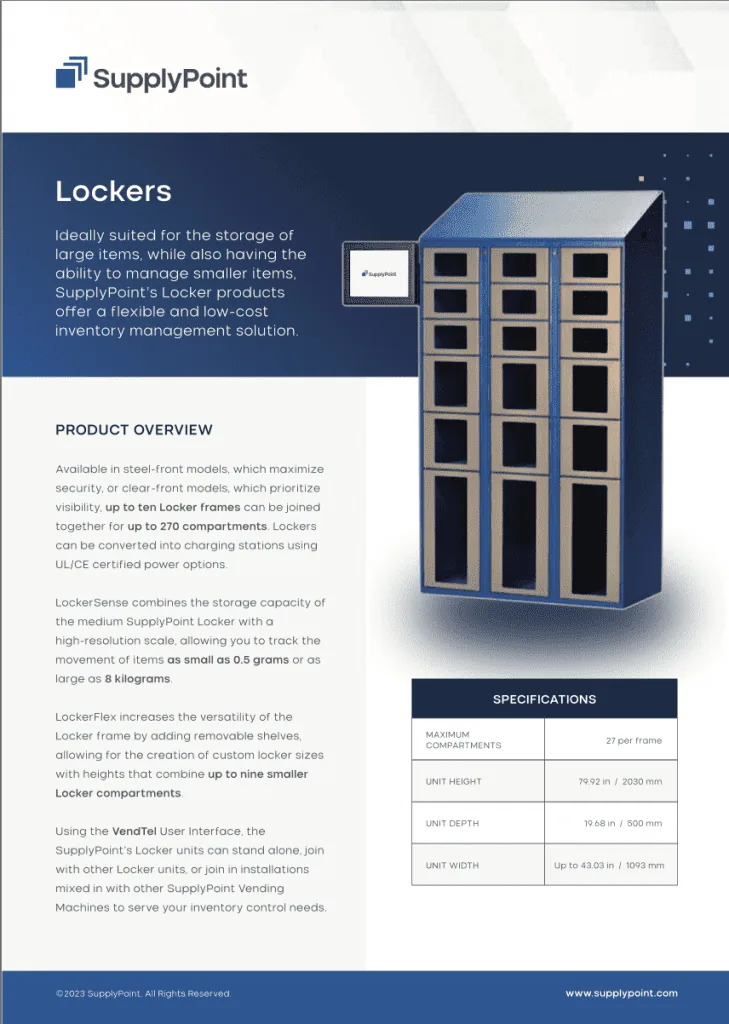 SupplyPoint lockersConfigurable secure lockers for power tools, laptops, instruments, and keys, including charging locker options for radios, batteries, and scanners.
 LID cabinetsSix cabinet sizes, four drawer depths, and eight compartment layouts, with single-item access for up to 432 secure locations in one standard-footprint cabinet.
 ECTCThe entry point: electronic drawer-level locking on a classic tool cabinet. Two frame heights, three drawer types, up to 36 dividers per drawer, and a clear upgrade path to LID.
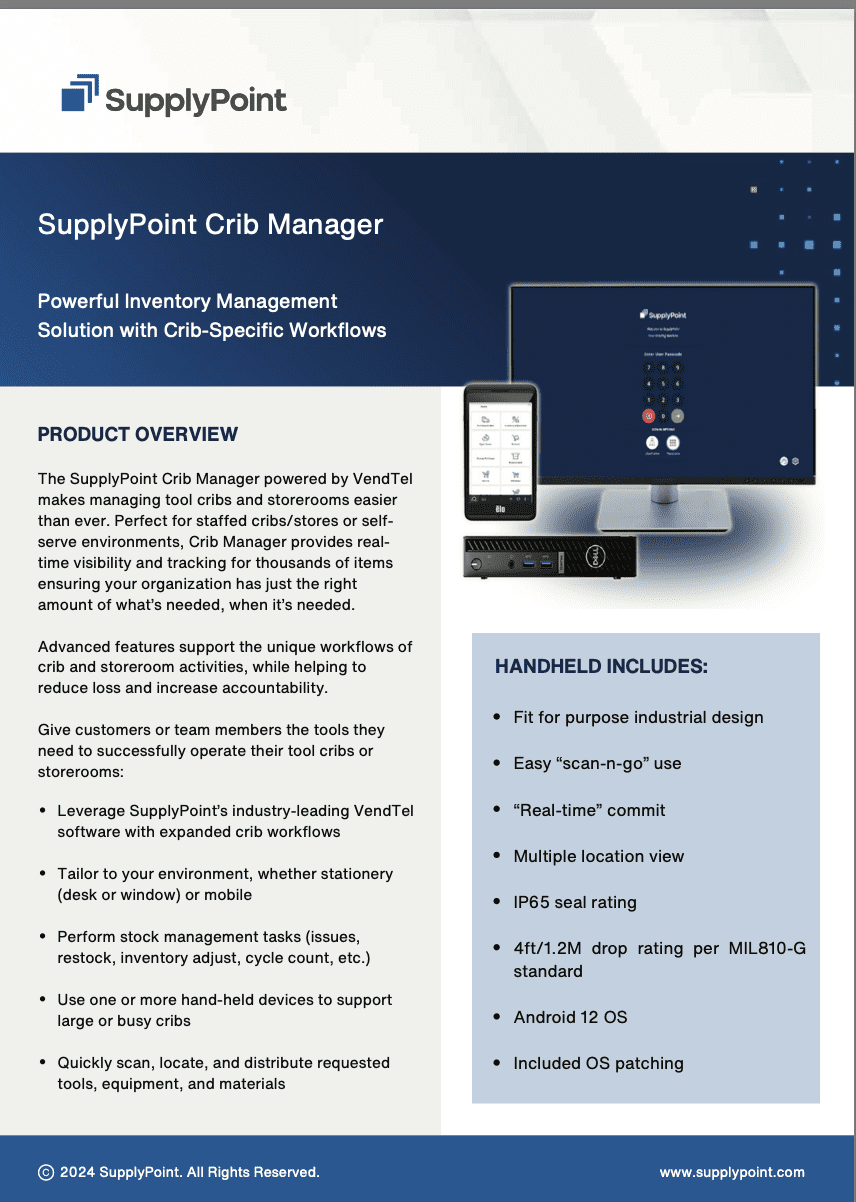 StoreTelDigitizes a staffed or self-serve storeroom: real-time visibility, cycle counts, and an optional IP65-rated handheld rated for a 4-foot (1.2 m) drop.
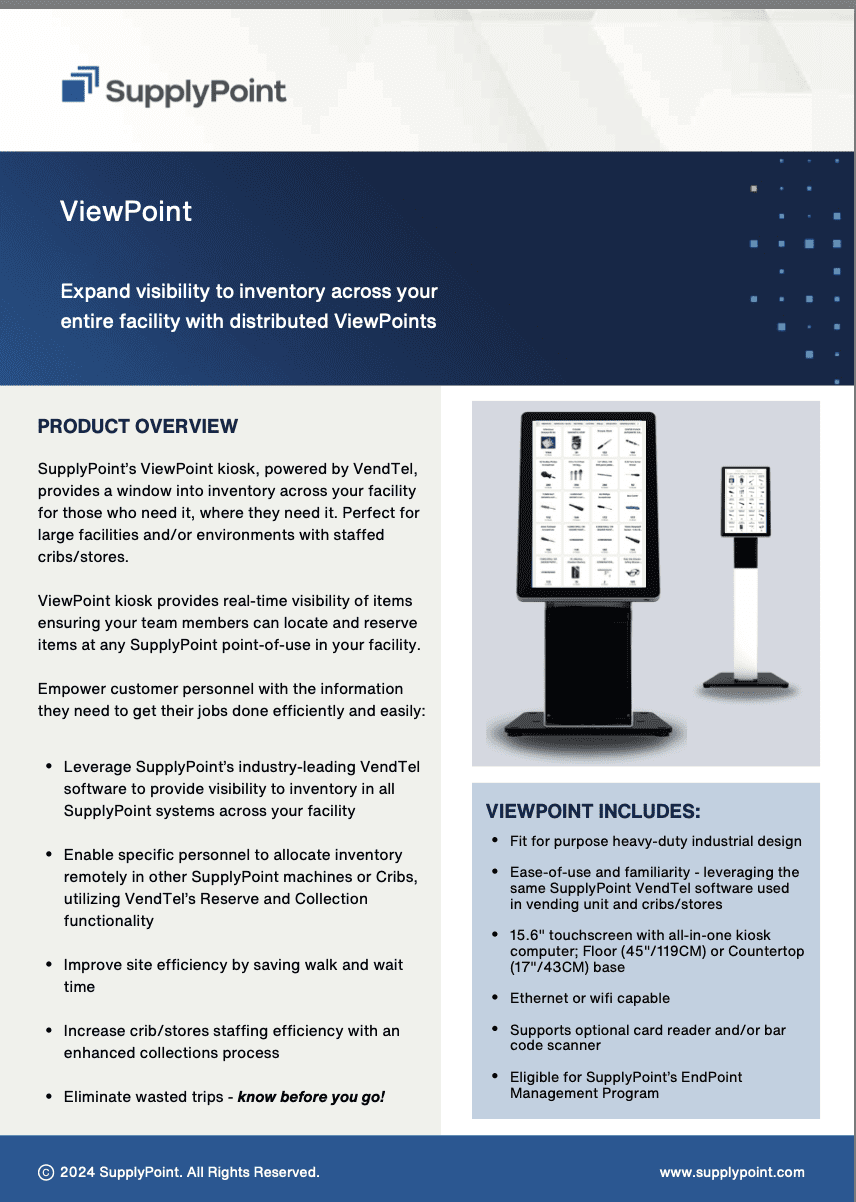 ViewPointA kiosk that shows real-time stock levels and locations across every machine on site, with reserve-and-collect so staff confirm availability before walking anywhere.
The Software Layer
| Module | What it does |
|---|---|
| VendTel | The on-machine touchscreen interface. Same experience on every unit, so there is effectively no learning curve for operators. |
| WebSync | Cloud dashboard for users, permissions, min/max levels, automated reordering, and transaction reporting. |
| SupplyPoint iQ | Business intelligence — usage trends, fastest and slowest movers, consumption by user, cell, or cost center. |
| iSync | ERP integration, including major platforms such as SAP, for automated purchasing and inventory data flow. |
| KeyManager | Controlled issue and return of keys and small high-accountability items. |
Where These Systems Earn Their Keep
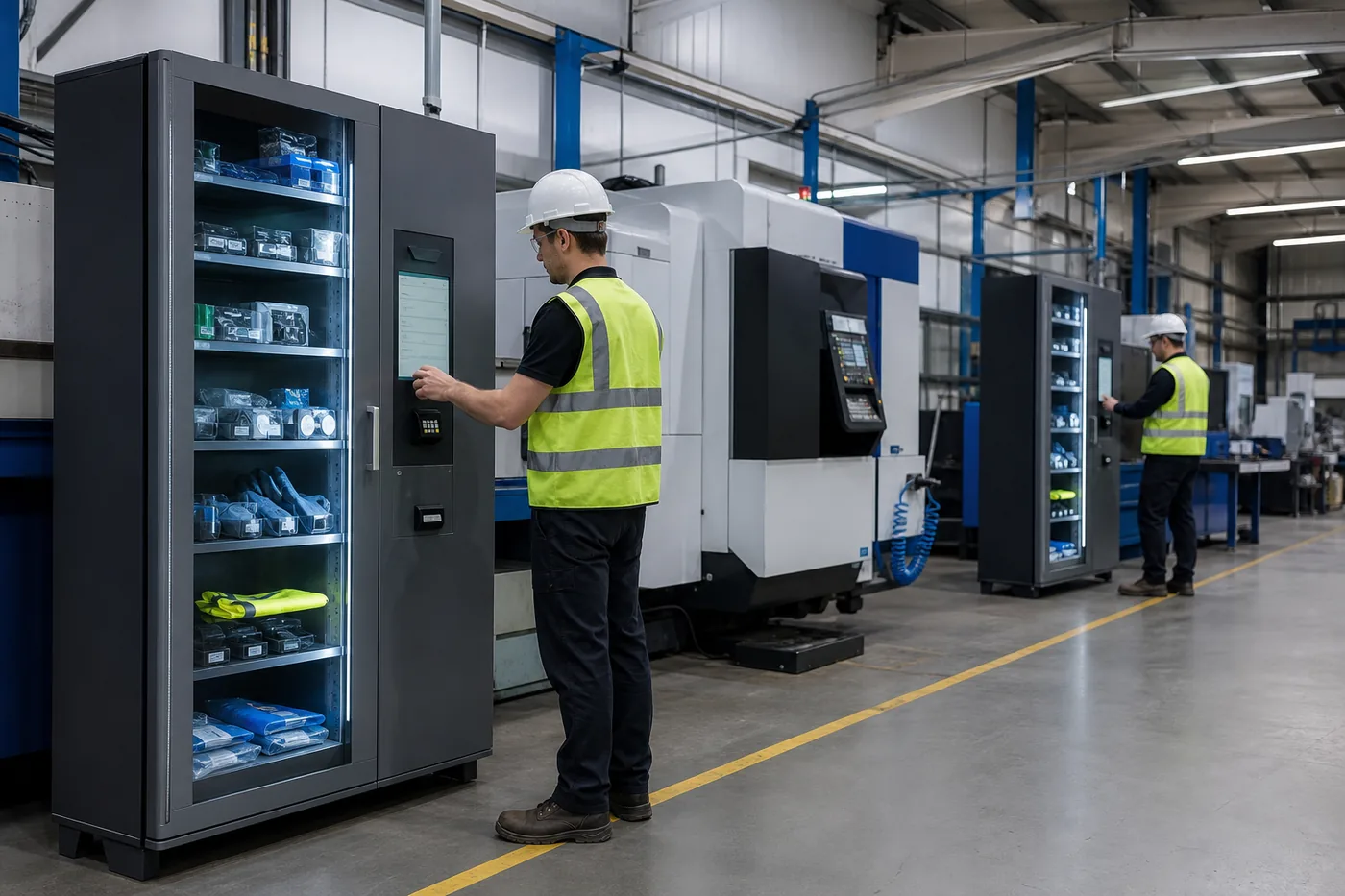 Manufacturing & machiningCutting tools, inserts, gauges, and PPE at the cell. Consumption data by machine and operator, and no more crib queue at shift change.
 Automotive & heavy equipmentTool kits, calibrated instruments, and specialty tooling issued and returned with an audit trail — the market the LID cabinet was designed for.
 Government & defenseAccountability for controlled and high-value assets, with user-level records and reporting for audits.
 Warehouse & logisticsScanners, batteries, radios, and PPE issued and charged around the clock so every shift starts with working equipment.
How a Deployment Actually Goes
Consultation
We review what you are losing and where — shrinkage, crib labor, stock-outs, rush freight — and which assets are worth controlling first.
Item and machine selection
Items are grouped by size, value, and turn rate, then matched to drawer, carousel, locker, or cabinet hardware. Most sites start with one or two machines.
ROI report
A written, no-obligation projection of savings, so the capital request has real numbers behind it.
Installation
Placement at the point of use, power and network connection, machine configuration, and initial stocking.
Software setup and training
Users, permissions, min/max levels, and reporting configured; on-site training for operators and managers.
Review and expand
After a few months of real usage data, we review consumption and expand to the next cell, department, or site.
Deciding What to Put in a Machine — and What to Leave Out
The fastest way to waste a vending investment is to fill it with the wrong items. High-value, high-turn, easily pocketed consumables pay for the machine. Bulky, slow-moving, or rarely issued items just occupy expensive compartments.
| Strong candidates | Why it works | Usually better elsewhere |
|---|---|---|
| Cutting tools, inserts, gauges | High unit cost and high loss rate; single-item control pays for itself quickly | Bar stock and raw material |
| Gloves, glasses, hearing and respiratory PPE | High volume, constant demand, easy to over-consume without a record | Bulk drums and liquids |
| Abrasives, blades, drills, taps | Fast-moving consumables where usage data drives real purchasing decisions | Oversized fixtures and tooling carts |
| Batteries, radios, scanners | Charging lockers guarantee a working device at the start of every shift | Items needed once a quarter |
| Calibrated instruments and tool kits | Issue and return records support calibration and audit requirements | Anything requiring hazmat storage |
| Laptops, tablets, keys | Accountability for assets that leave the building | Items too large for any compartment |
Rule of thumb
If you cannot say who used the last one, or you buy it in volume and it disappears faster than the work explains, it belongs in a machine. Start with those items and expand from the data.
Building the Business Case
Automated dispensing is a capital request, so it has to be defended with numbers your finance team recognizes. These are the five lines that carry most of the return, and the questions to answer for each before you present it.
Placement, Power, and Network Requirements
These machines belong at the point of use, which usually means the plant floor rather than a clean office. Plan the location the way you would plan any piece of equipment: access, power, network, and clearance.
- Standard building power at the location — confirm circuit and receptacle type per unit
- Network connection: wired drop preferred, Wi-Fi supported for kiosks and some configurations
- Level floor with clearance for drawers, hatches, or doors to open fully
- A path from the receiving dock to the final location, including doorway widths — carousel units are specified to fit through a standard doorway for exactly this reason
- Lighting at the interface so operators can read the screen and see into compartments
- Environment: keep units out of wash-down zones, direct coolant spray, and heavy chip fallout
- Restocking access for the person who fills the machine, not just the person who uses it
- A named owner for each machine — unowned machines drift out of stock
| Consideration | Why it matters |
|---|---|
| Point of use vs central crib | Every extra minute of walking erases part of the labor case |
| Doorway and elevator clearance | Determines whether a high-capacity carousel can reach the floor you want |
| Number of users per unit | Drives transaction speed requirements at shift change |
| Restock frequency | Sets compartment sizing; too-small compartments create daily refill labor |
| Future expansion | Linked units share a controller — leave space beside the first machine |
What Goes Wrong — and How to Avoid It
The technology is reliable. Most disappointing deployments fail on process, and all of the failure modes below are avoidable with decisions made before installation.
| Failure mode | What it looks like | Prevention |
|---|---|---|
| No owner | Machine sits empty; people go back to the old crib | Name an owner per machine and put restocking on a schedule |
| Wrong items | Compartments full of slow movers while the real consumables stay uncontrolled | Select items from actual consumption data, not from what is easiest to load |
| Permissions too tight | Operators cannot get what the job needs and route around the system | Set authorization by role, review it after the first month |
| Permissions too loose | Everyone can take everything; the audit trail exists but changes nothing | Restrict the high-value items specifically, not the whole catalog |
| No min/max levels | Stock-outs continue, and nobody trusts the machine | Load min/max on day one and let WebSync generate reorder alerts |
| Reports nobody reads | Data accumulates, behavior does not change | Put a monthly usage review on somebody's calendar with cost-center detail |
Frequently Asked Questions
How hard is the system to learn?
Can we vend PPE and non-tool items?
Does it integrate with our ERP?
What support comes with it?
How many machines do we need to start?
Can we control tools at drawer level and item level?
Ready to Take Control of Your Inventory?
Tell us what you are losing and where. We will size the system and build you a free ROI report before you commit to anything.