
Phone Charging Lockers for Venues, Hospitals & Workplaces
Give visitors a safe place to charge a phone and walk away, or give staff a locked, charging door for the shift. Smart cell phone charging lockers open with a card, QR code or PIN and log every door.
Authorized DC Locker dealer · Nationwide delivery & installation · (800) 326-4403
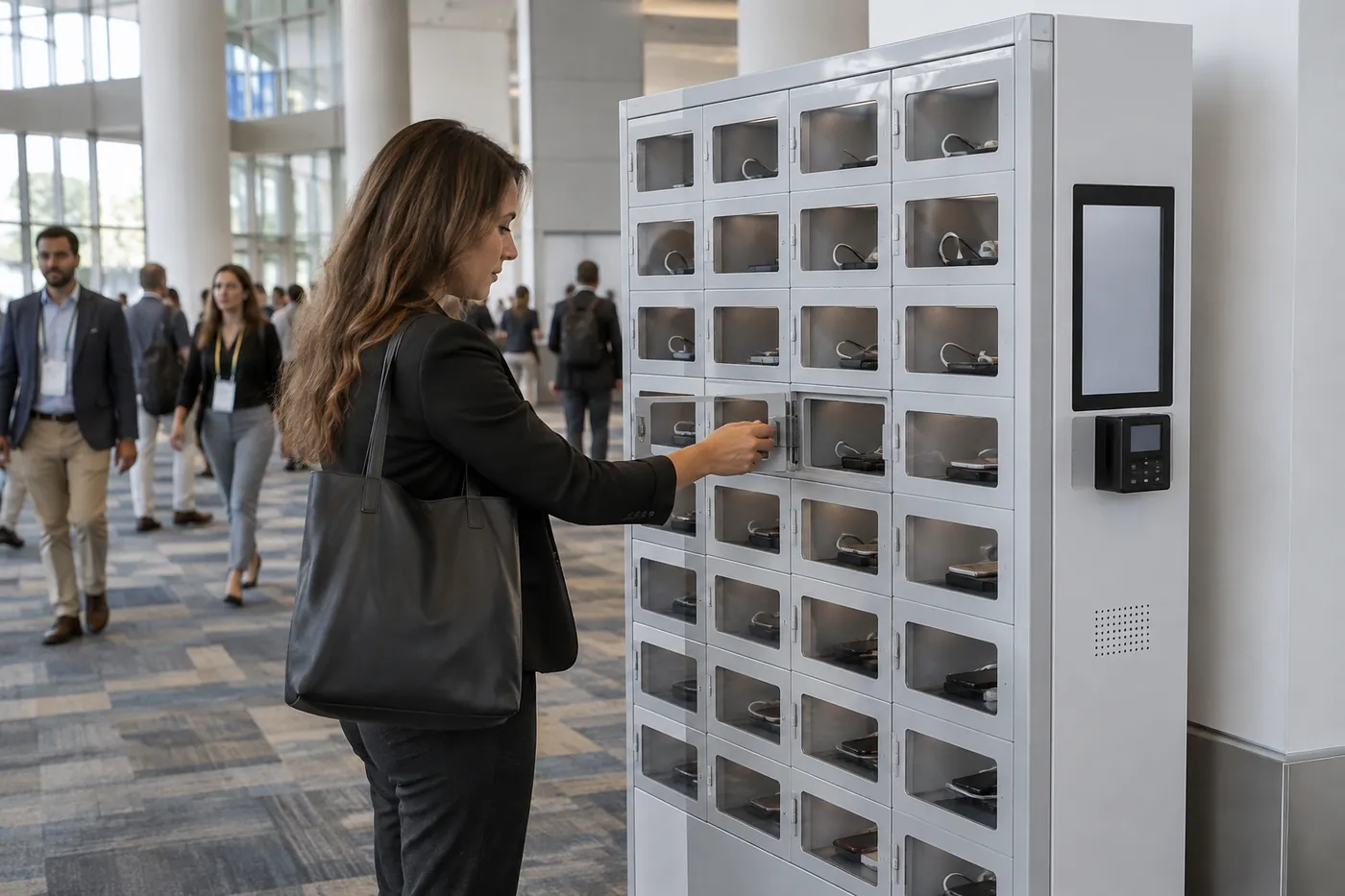
42
Doors per cabinet
USB · Type-C
Charging
Card · QR
Access
Per door
Heat sensing
Why Phone Charging Lockers Beat an Open Charging Table
A dead phone is now a real problem for visitors: it holds their ticket, boarding pass, payment card and the way they reach family. An open charging table solves the battery, but not the waiting.
Open charging kiosks and outlet tables keep people tethered. A visitor plugs in and then stands guard beside a phone they cannot leave, or walks away and hopes it is still there later. In a hospital waiting room, an arena concourse or a convention hall, most people will not take that risk.
A phone charging locker removes the trade-off. The visitor picks a door, plugs the phone into the built-in charging port, closes the door and leaves with a code, card or QR receipt. The phone charges behind a locked door while they eat, see a patient, sit through a session or ride a ride. They come back to a charged phone, and the system records who opened which door and when.
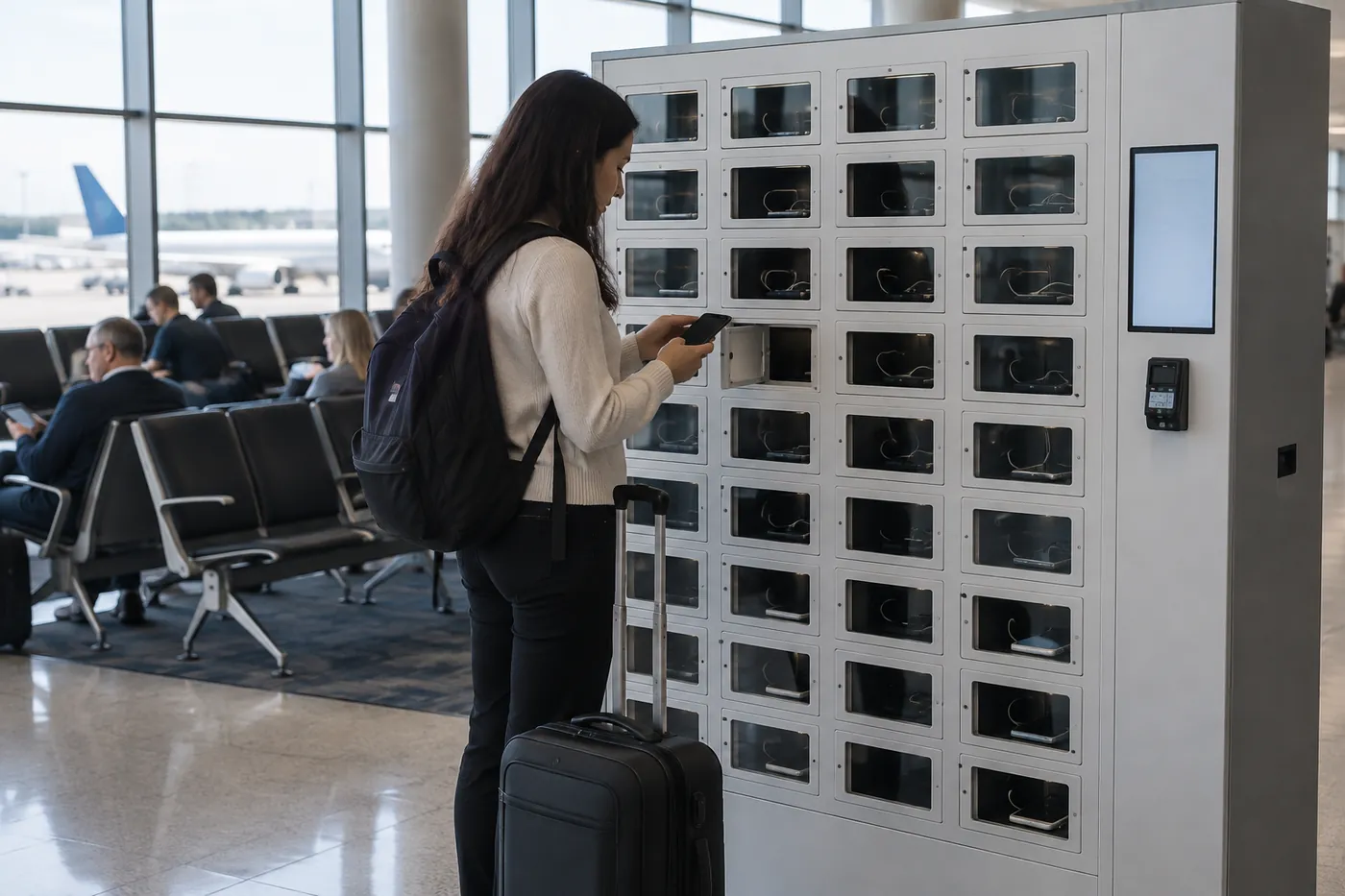
- Visitors charge and walk away instead of guarding an outlet
- Each phone behind its own locked door, tied to one user
- Charging stops automatically when the battery is full
- A record of every deposit and pickup if a phone goes missing
Material Handling USA is an authorized dealer for DC Locker’s smart locker line. We help venues, hospitals, transit operators and employers pick the right charging locker, decide how many doors they need and where they go, and bring power and network to each bank. For parcel, food, storage and other uses, start with our main smart lockers guide.
Phone Charging Options Compared
There are four common ways to offer phone charging. The right one depends on whether people need to leave the phone, how many charge at once and how much staff time you can spend on it.
| Option | How It Works | Strengths | Watch For |
|---|---|---|---|
| Open charging kiosk or table | Cables or outlets in a public area; users stay with the phone | Low cost; no doors or software | Users cannot leave; theft risk; cables wear out and walk off |
| Power bank rental station | Users rent a portable battery and return it later | Phone stays with the user | Rental partner terms; battery returns; not a storage solution |
| Key-lock charging phone locker | Small steel doors with USB ports, one key per door | Simple; no network needed; good for a small staff room | Lost keys; no log; staff hand out keys |
| Smart phone charging locker | User opens a door with a card, QR code, PIN or face; software logs use | Charge-and-walk-away; no keys; audit log; remote admin; heat and smoke sensing | Needs power and network; most planning up front; higher first cost |
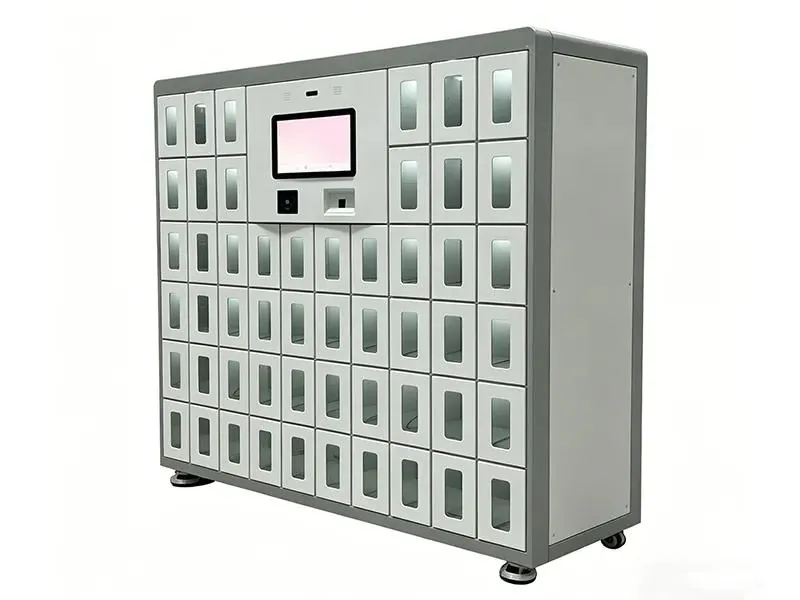
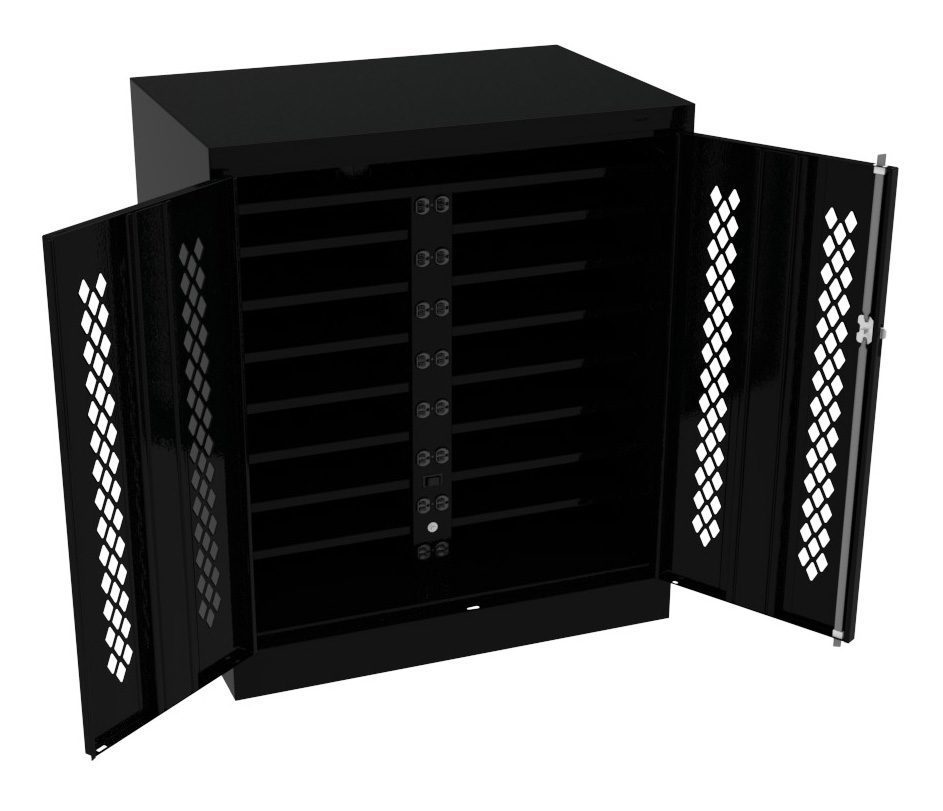
Many sites use more than one. A break room with a dozen employees can run on a key-locked phone locker like the Lyon unit in the shop row below. Once phones pass between hundreds of visitors or several shifts a day, keys and paper sign-out sheets become the problem, and an electronic lock with a card, QR code or PIN is easier to run.
A smart charging locker also tells you things a charging table cannot: how many doors are in use at peak, how long phones stay and which doors were left uncollected at closing. That data is what sizes your second bank.
Shop Charging Phone Lockers & Charging Stations
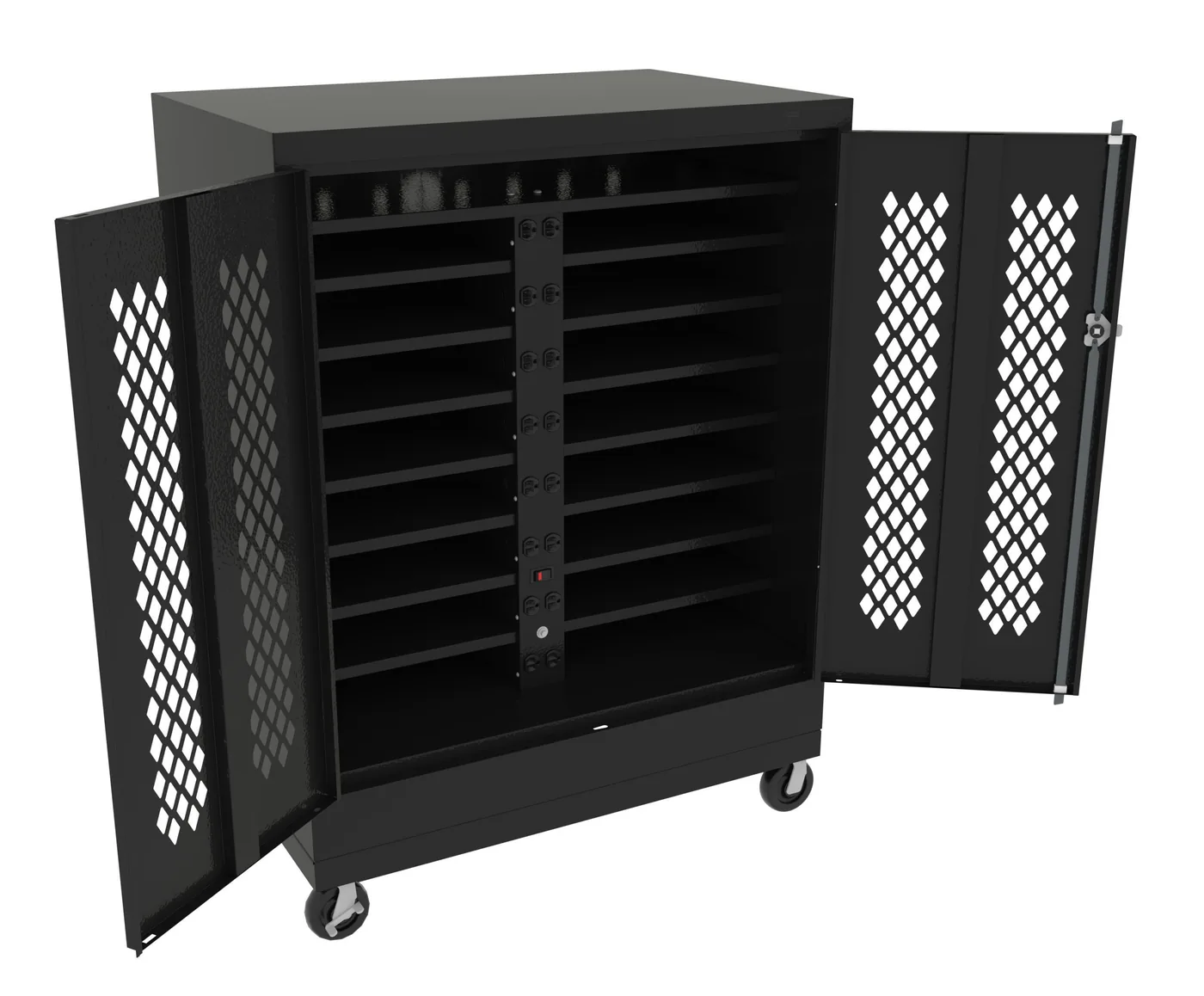
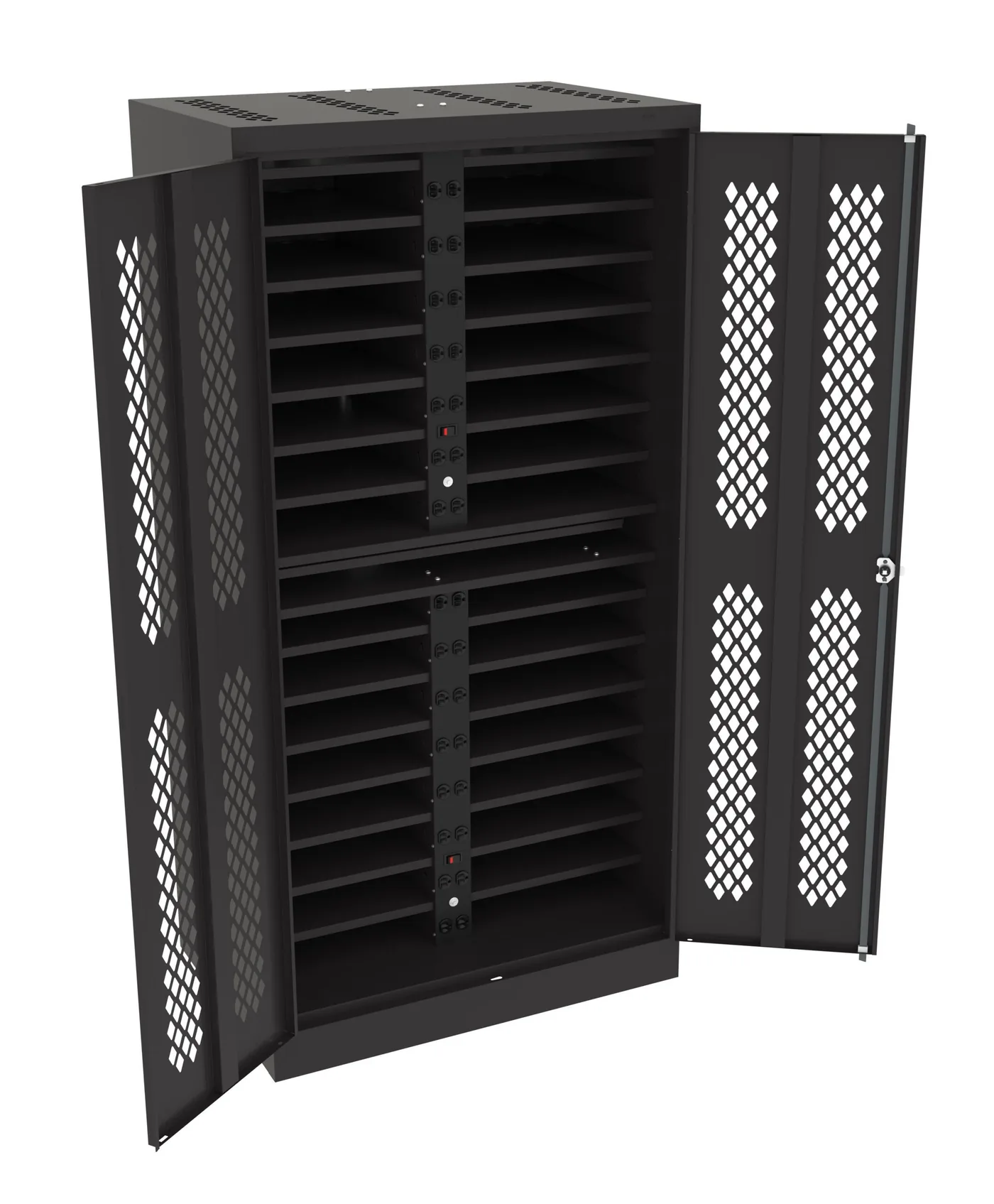
Not smart lockers: a key-locked Lyon 14-door cell phone locker with USB charging and Tennsco laptop charging stations, simple options for a break room, office or front desk. Smart phone charging lockers with card, QR or PIN access and audit logs are quoted per project — call (800) 326-4403.

Two Different Jobs: Guest Charging and Phone-Free Workplaces
The same cabinet can do two very different jobs. Decide which one you are buying for, because it changes access, door counts and placement.
Phone-free shifts and secure areas
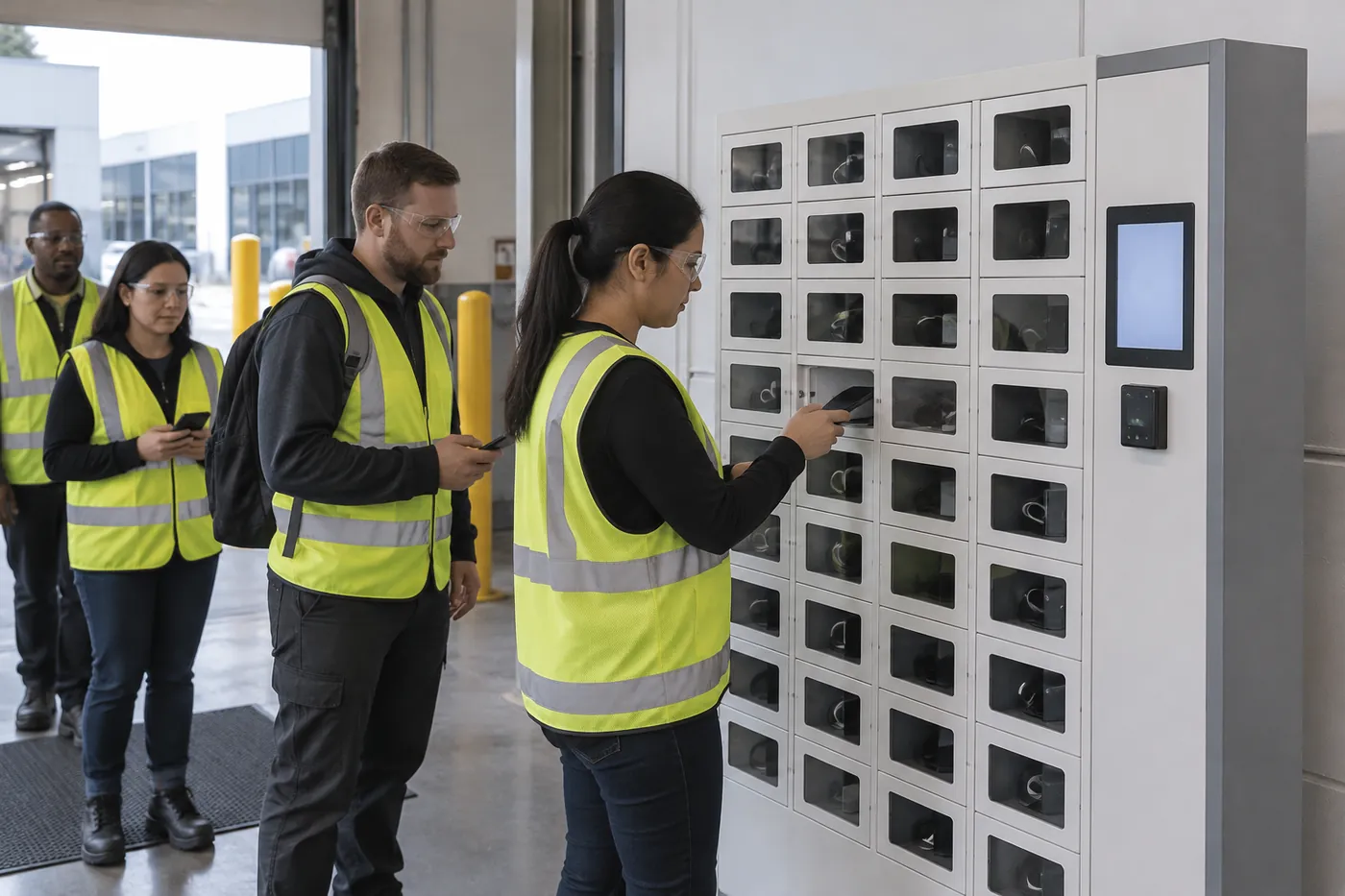
Factories, food plants, warehouses and R&D labs often ask employees not to carry phones on the production floor or into restricted rooms, for safety, quality or confidentiality reasons. A wall of charging lockers at the entrance turns that rule into a routine: tap a badge, phone in, door locks, phone charges, pick it up at break or end of shift.
DC Locker’s software uses a one person, one cabinet binding, so each employee’s phone sits behind a door tied to that badge, and every deposit and pickup is recorded. Shift handovers become a quick tap instead of a supervisor collecting phones in a box.

Secure and confidential areas follow the same pattern. A charging locker outside a lab, a clean room, a testing room or a briefing room keeps cameras and recorders out without asking staff to leave phones in a car. DC Locker’s cell phone locker adds anti-theft and tamper alarms for these settings.
Guest charging is the opposite pattern: unknown users, short visits and quick turnover. Visitors usually open doors with a PIN or a QR code shown on the kiosk or sent by text, rather than a badge. Doors are shared rather than assigned, and the software frees each door the moment the phone is collected.
| Question | Guest / Public Charging | Workplace / Phone-Free Policy |
|---|---|---|
| Who uses it | Visitors, patients’ families, fans, travelers | Employees and contractors |
| Typical access | PIN, QR code, text message code | Employee badge (RFID card), PIN, face |
| Doors | Shared; freed after each pickup | Usually assigned per employee |
| Peak load | Events, visiting hours, flight banks | Shift start and shift change |
| Placement | Near seating, food, guest services | Entrance to the floor or restricted area |
| Main goal | Amenity and guest satisfaction | Safety, focus and confidentiality |
Schools have their own version of the phone-free job, with student ID cards and bell schedules; see smart lockers for schools. If employees need to charge laptops, tablets or handheld scanners rather than personal phones, read our device management lockers guide.
Where Phone Charging Lockers Work Best
Charging lockers pay off wherever people stay for an hour or more, depend on their phones and cannot keep them plugged in beside them.
 Hospitals & ClinicsFamilies in waiting rooms and patients’ visitors charge a phone while they stay close to a loved one.
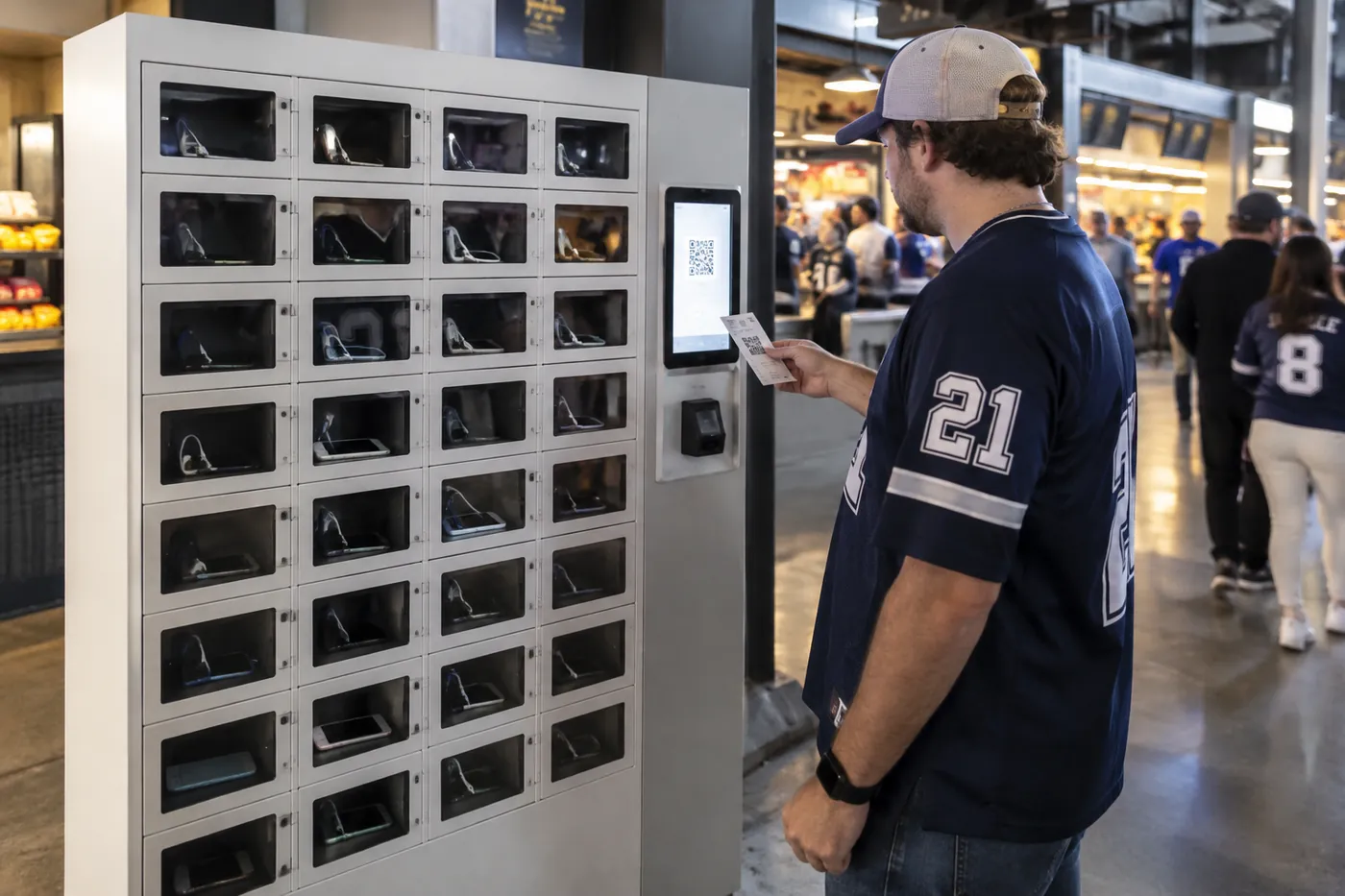 Arenas, Stadiums & VenuesFans charge during the game or show and keep their mobile ticket and payment phone alive for the trip home.
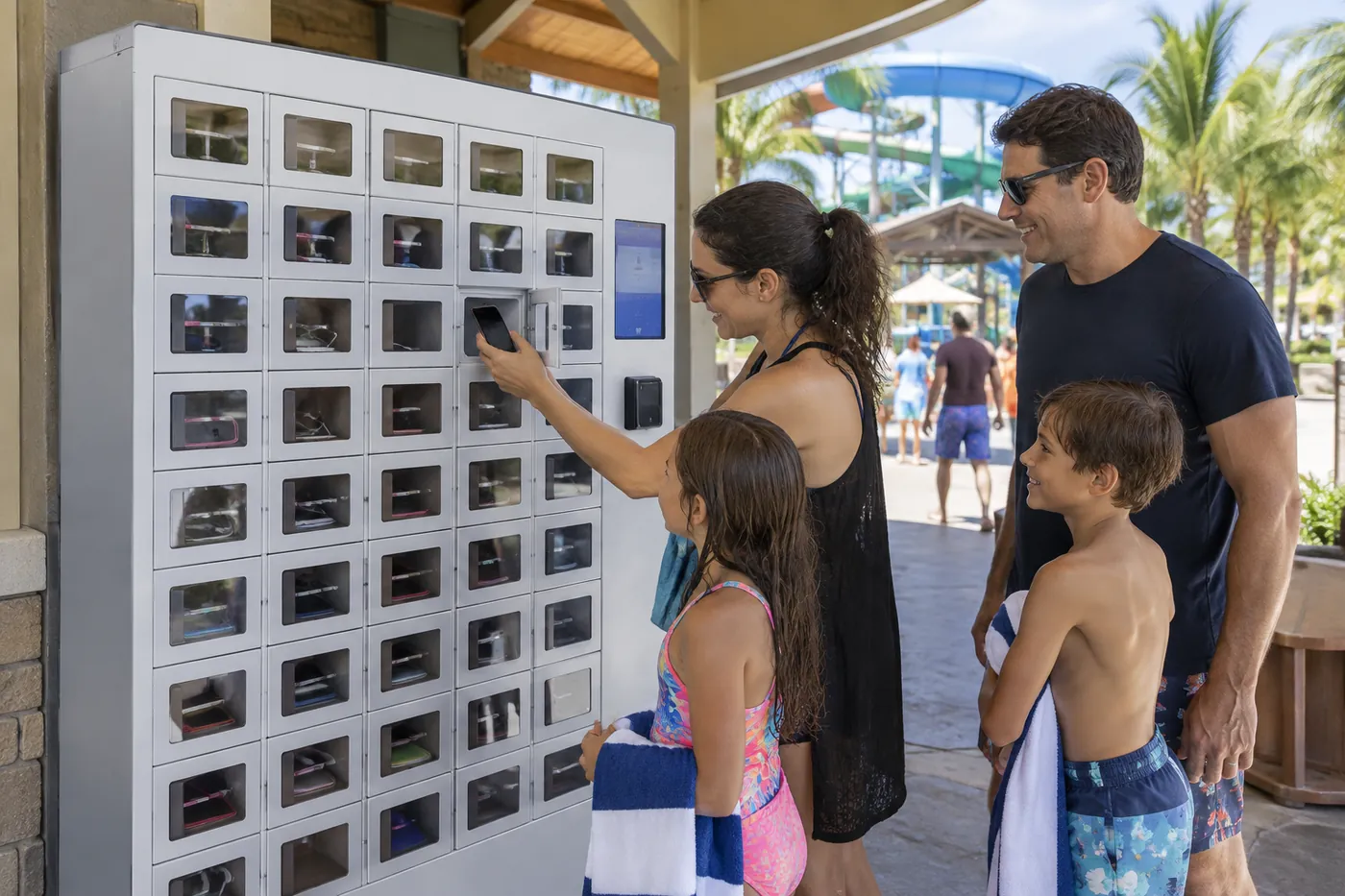 Theme Parks & Water ParksGuests charge before a long day of rides, or store a phone safely while they swim.
| Location | Who Charges | Placement Tip |
|---|---|---|
| Hospitals and clinics | Visitors, families, outpatients | Main waiting areas, surgery family lounge, cafeteria |
| Airports and transit stations | Travelers on layovers or delays | Gate areas and concourse seating, not security lines |
| Convention centers and hotels | Attendees between sessions | Registration, session hallways, lobby |
| Arenas, stadiums and event venues | Fans and guests | Concourses near food and guest services |
| Theme parks, water parks and resorts | Families and day guests | Guest services, entrance plazas, covered areas |
| Malls and retail centers | Shoppers | Food courts and seating areas |
| Libraries and campuses | Students and patrons | Study areas, student unions, library entrances |
| Factories, plants and labs | Employees on shift | Entrance to production or restricted areas |
| Corporate offices and call centers | Staff and visitors | Reception, break rooms, secure meeting rooms |
Hotels can pair guest phone charging with luggage and package lockers; see hotel smart lockers. Gyms and spas often add charging doors to day-use lockers; see smart lockers for gyms. Libraries can combine phone charging with hold pickup and device lending in library smart lockers.
How Guest Phone Charging Works
The visit should take under a minute at the locker. Design the steps around a stranger who has never used one before.
Choose
The guest taps Charge on the touchscreen; the kiosk shows an open door.
Plug In
The guest connects the phone to the door’s USB or Type-C port and closes the door.
Lock
The door locks to a PIN, QR code, card or face; the code can also be sent by text or email.
Collect
The guest returns, enters the same credential, takes the charged phone and the door frees up.
Free amenity or paid charging?
Most hospitals, libraries and offices offer charging free as a service. Venues and parks sometimes charge a fee or use a sponsor’s branding on the cabinet. DC Locker builds POS-enabled lockers that run in free or paid mode in its luggage line and supports custom colors and wraps; whether a payment reader can be added to your charging configuration is confirmed at quote.
Cables and phone types
Charging lockers use built-in USB or Type-C ports in each compartment. Tell us which phones your users carry and whether you want fixed cables in each door or users to bring their own cable. Phones in thick cases need the full compartment depth, so check door sizes against real phones in cases.
Plan the uncollected-phone rule
Decide what happens to phones left after closing or after an event: how long you hold them, who can open the door and how the owner proves it is theirs. Post the rule on or beside the locker.
Charging Safety: What to Look For
Dozens of lithium-ion batteries charging in one cabinet is a safety question, not just a convenience feature. Ask every supplier how the cabinet handles heat, faults and fire.
| Safety Feature | What It Does | DC Locker Smart Charging Locker |
|---|---|---|
| Protected charging modules | Guards against overcharge, short circuit and overheating | Standard |
| Auto cut-off | Stops charging each door when the battery is full | Standard |
| Per-door temperature sensor | Detects heat in a single compartment | Independent sensor in each compartment |
| Per-door fire suppression | Contains a problem to one compartment | Fire extinguishing device in each compartment |
| Smoke detection | Detects smoke anywhere in the cabinet | Top-mounted smoke detector linked to the circuit breaker, with audible and visual alarm |
| Fire-resistant construction | Slows heat spread | 2.0 mm steel shell with fire-resistant coating; 2.0 mm 304 stainless steel lining |
| Door construction | Holds up to impact and abuse | Explosion-proof aluminum alloy doors |
| Remote monitoring | Shows charging state and logs on a dashboard | Cloud platform tracks usage, charging status and operation records |
DC Locker’s system can also schedule charging during off-peak hours from the back end, which helps workplaces that leave phones or devices charging for a full shift. Place charging cabinets where your fire marshal and facility safety team agree, on a dedicated circuit if the electrician recommends one, and keep the area around ventilation openings clear. We confirm electrical requirements for your configuration at quote.
DC Locker Phone Charging Locker Models
Two DC Locker models cover most phone charging programs. Both run on DC Locker’s preloaded software with text and email notifications.
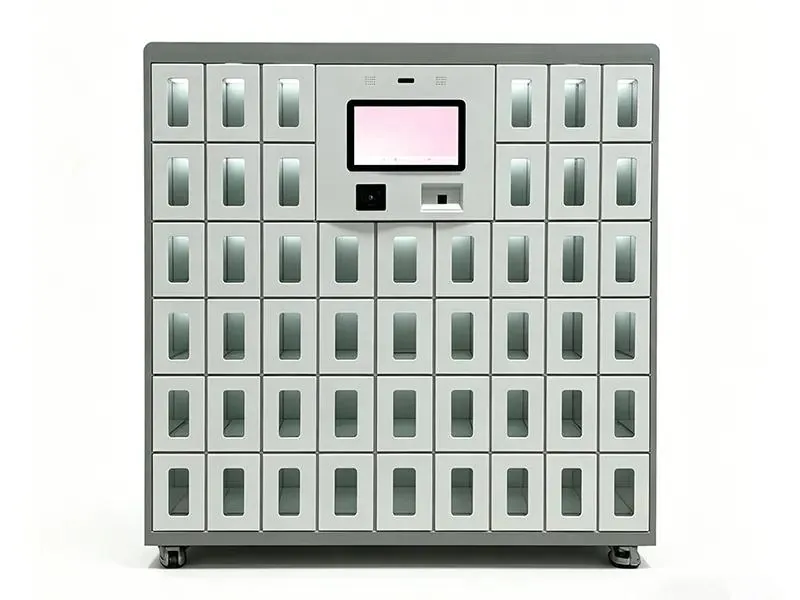
Smart Charging Locker. Built for charging: 42 compartments (6 per row, 7 rows) in a cabinet about 26.0 × 13.8 × 66.9 in (660 × 350 × 1700 mm). Each compartment is about 7.9 × 13.8 × 3.9 in (200 × 350 × 100 mm) with a USB or Type-C port, independent temperature sensor and fire extinguishing device. A 10-inch touchscreen supports face recognition, card reader and password access, and the electronic locks are rated for 500,000+ cycles.
Cell Phone Locker. Same footprint and compartment size, built for secure phone storage with charging: fingerprint, PIN, RFID card and QR code access, tempered glass and steel construction, ventilation and anti-theft and tamper alarms. A good fit for phone-free workplaces and secure areas.
| Model | Best For | Doors | Access |
|---|---|---|---|
| Smart Charging Locker | Public charging, shift phone and tablet charging | 42 per cabinet | Face, card, password; QR |
| Cell Phone Locker | Phone-free workplaces, secure rooms, schools | Configured per order | Fingerprint, PIN, RFID, QR |
| Smart IT Asset Locker | Laptops and tablets (see device guide) | 24 control + 30 side unit | Card, barcode, QR |
DC Locker supports custom charging specifications, branding and access methods on its charging lockers. Exact door counts, colors and options are confirmed for your configuration at quote. For a phone used as the key to open a locker (rather than a phone being charged), see phone access lockers.
Datum TekStak: Made-in-USA Charging Lockers for Staff
Not every charging program needs a touchscreen and software. For a break room, nurses’ station, squad room or office, a steel charging locker with a key or digital lock is often the right fit.
TekStak, from USA-made storage manufacturer Datum (Emigsville, Pennsylvania), has individually locking compartments for phones, wallets, keys and other small valuables. The electric version adds two electrical outlets in every compartment, so staff can charge a phone, tablet or laptop while it is locked away. That is a real difference from USB-only phone lockers: a full laptop charger plugs straight in.
Electric TekStak units come with 5 or 10 compartments (storage-only versions run 5 to 12). Each compartment locks with a key, a padlock hasp or a programmable digital lock, and ventilated sides keep charging devices from overheating. Options include a laminate top for extra workspace and a locking drawer base.

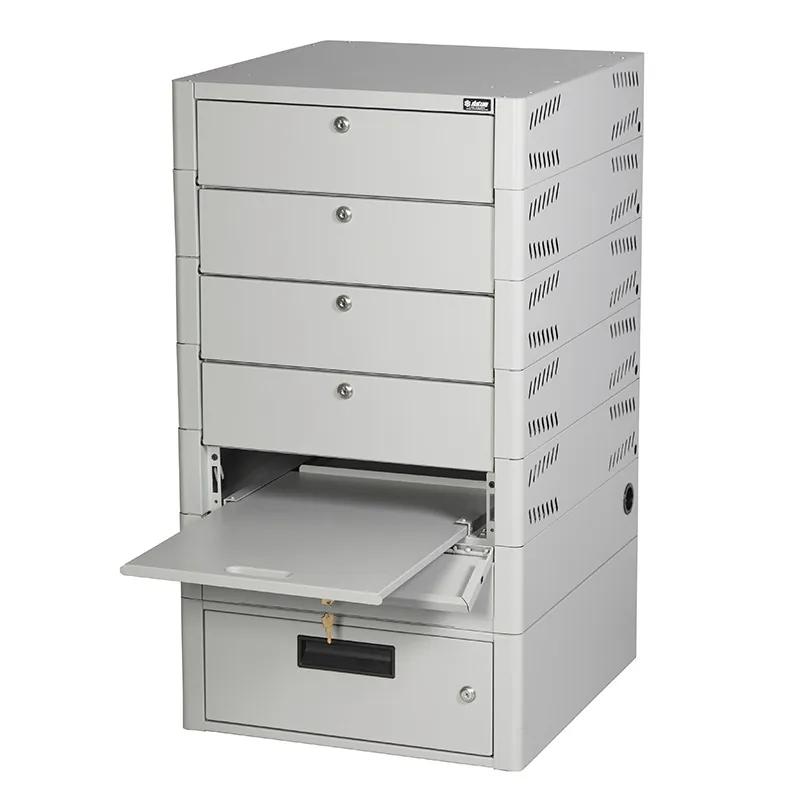 TekStak, Open CompartmentDrop-down doors double as a loading shelf; heavy-duty powder-coated steel.
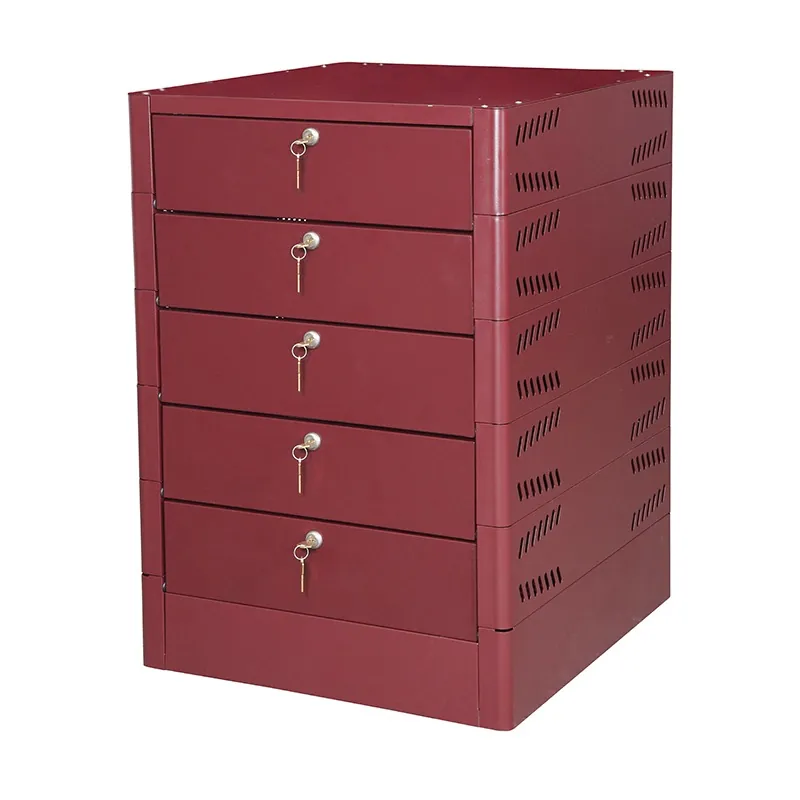 TekStak with Key LocksSimple keyed doors for small teams; standard, non-standard and laminate colors.
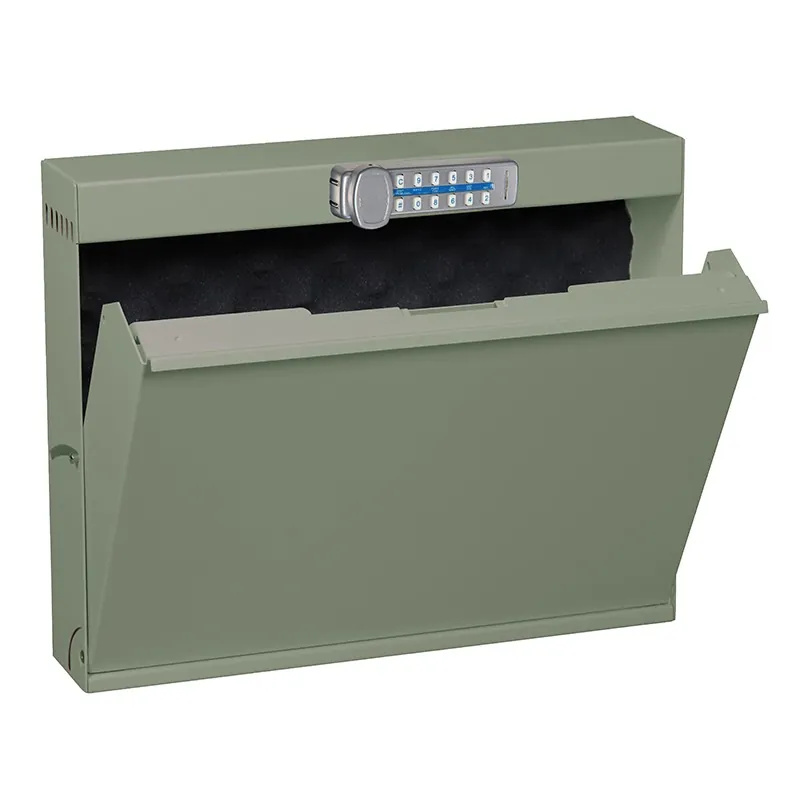 Datum Mountable Laptop LockerWall or under-desk laptop locker, 3-1/2 in deep to meet ADA requirements; hasp, key or electronic lock.
| Choose | When |
|---|---|
| Datum TekStak (electric) | 5-10 staff, laptops as well as phones, key or digital locks, no network or software wanted |
| DC Locker Cell Phone Locker | Phone-free workplaces with badge, PIN or QR access and an audit log |
| DC Locker Smart Charging Locker | Public or high-turnover charging, 42 doors, per-door heat sensing and remote monitoring |
Photos: Datum Storage Systems. Material Handling USA supplies Datum storage alongside our Datum mobile shelving; ask for TekStak sizes and colors when you request a quote. For charging laptops and tablets in bulk, Datum’s TekDepot and Laptop Depot are covered in our device management lockers guide.
How Many Charging Doors Do You Need?
Size guest charging by how many phones are inside at the busiest hour. Size workplace charging by the largest shift.
| Program | Doors to Plan | Notes |
|---|---|---|
| Guest charging | Guests charging per hour at peak × average hours a phone stays | Example: 30 guests an hour staying 1.5 hours = about 45 doors in use |
| Event venues | Size to the event peak, not an average day | Doors fill early and stay full until the event ends |
| Phone-free shifts | One door per worker on the largest shift, plus spares | Assigned doors make shift start faster |
| Overlapping shifts | Add the overlap headcount | Both shifts hold doors during handover |
| Secure rooms | Room capacity plus visitors | Place outside each restricted room |
Start with one bank
For guest charging, one 42-door cabinet in the busiest waiting area is a good pilot. The software shows how often every door is full; add cabinets where the data says demand is, not where you guessed.
Spread out for shift starts
If hundreds of workers arrive in a 15-minute window, one bank at one door makes a line. Split cabinets across the entrances people actually use, and leave power, data and wall space for the next cabinet on day one.
Planning a Phone Charging Locker Project
Bring these inputs to the first call and we can lay out cabinets, doors and power in one pass.
| Input | Why It Matters | What We Ask For |
|---|---|---|
| Users and program | Sets access and door counts | Guests, staff or both; peak users; hours of use |
| Location | Sets placement and finish | Indoor area, floor, wall space, sightlines from staff |
| Credentials | Decides the reader | Badge card type, PIN or QR for guests, face if wanted |
| Phones and cables | Sets ports and compartments | Phone types in cases; fixed cables or bring-your-own |
| Power and network | Every cabinet needs both | Outlet and circuit locations, Wi-Fi or Ethernet |
| Fee and branding | Shapes the configuration | Free or paid use; colors, wraps, sponsor graphics |
Keep the touchscreen and the doors people use most within accessible reach ranges, leave clear floor space in front of the cabinet, and put the locker where staff can see it. Our smart locker software and integration guide lists the IT questions to settle early, and the smart locker cost guide explains what drives price: door count, models, readers, software, freight and installation. Traditional key or combination lockers for employee belongings are covered under employee lockers.
How a Charging Locker Project Runs With MH-USA
Discovery
We review who will charge, peak hours, locations, credentials and the systems IT wants to connect.
Layout & Spec
A layout shows each cabinet, the door count, ports per door, reader type and power and data locations.
Quote
One itemized quote covers lockers, kiosks, readers, software, freight and installation, with lead time confirmed.
Install & Launch
Crews set and anchor each cabinet, connect the network, set up users and rules, and train your staff.
We deliver and install nationwide. Utah hospitals, venues and employers are served directly from our Salt Lake City home office; see Utah smart lockers or call (801) 328-8788.
Related Smart Locker Guides
 Device Management LockersLaptop and tablet loaners, swaps and shift device charging.
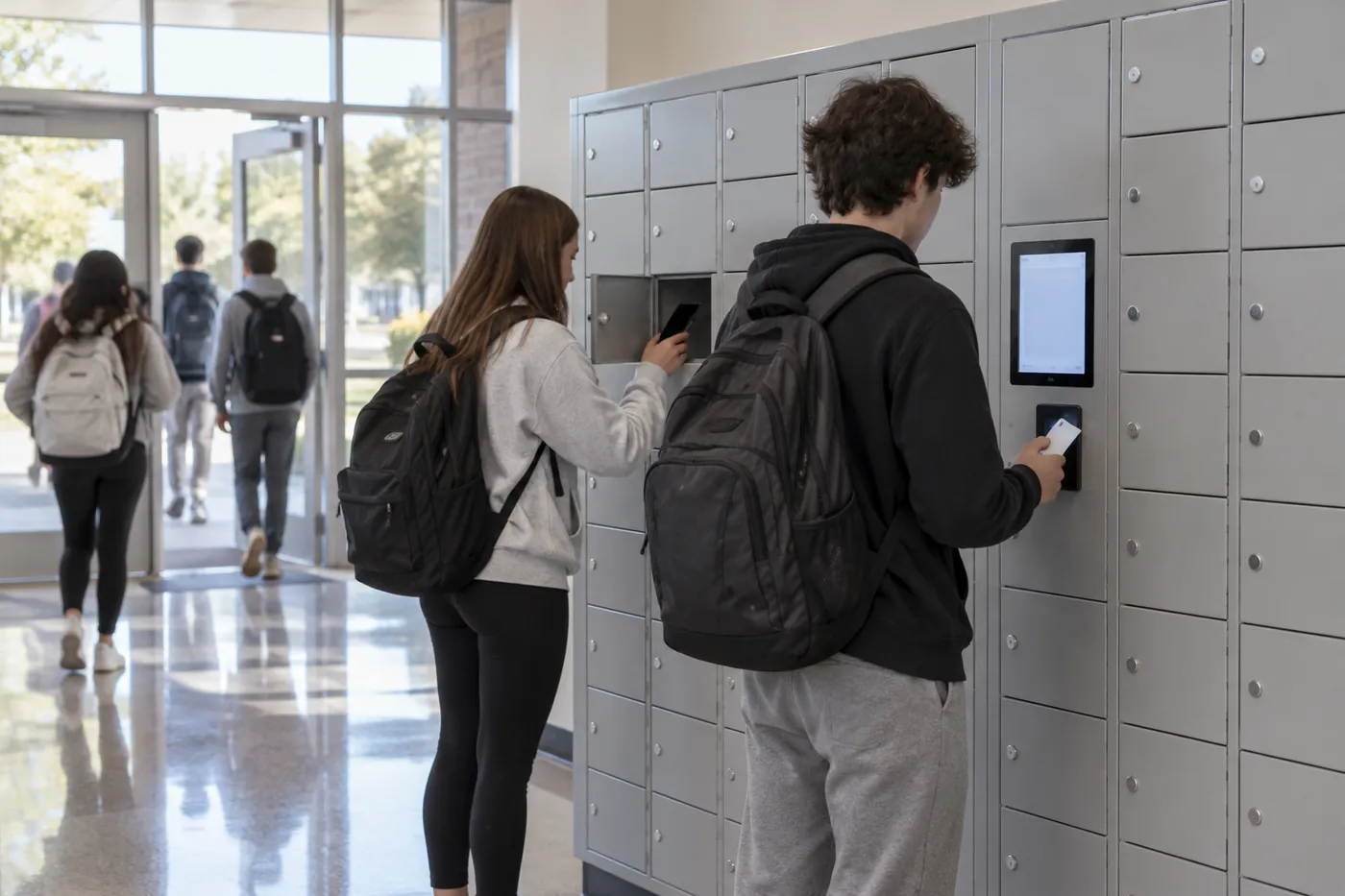 Smart Lockers for SchoolsStudent phone storage, Chromebook loaners and testing days.
 Hotel Smart LockersLuggage storage, guest packages and amenity lockers.
Back to the smart lockers hub for parcel, food, storage, charging, medical and tool lockers.
Get a free quote
Tell us what you are storing, the room size and your timeline. A project specialist will follow up with layout options and pricing. Prefer to talk? Call (800) 326-4403.
Phone Charging Locker FAQs
What are phone charging lockers?
What are cell phone lockers used for?
Is a charging locker a safe place to charge my phone?
Is there a phone lock box that charges the phone?
How do guests open a phone charging locker?
Can we charge a fee for phone charging?
Are there charging lockers that charge laptops, not just phones?
How many phones does a charging locker hold?
Do phone charging lockers work for employees?
How much do phone charging lockers cost?
Do you install phone charging lockers nationwide?
Planning Phone Charging Lockers?
Tell us who will charge, where and how many at peak for a free layout and quote.